How to Export YouTube Channel Data for Content Strategy (2026)
Extract YouTube channel data at scale with Browzey's free scraper. Bulk-export 20+ competitor channels to CSV for content strategy and benchmarking.
 CollinFounder, Browzey16 min read
On this page
- The Problem with YouTube's Native Analytics
- What YouTube Channel Data Actually Tells You
- Upload Frequency
- View Velocity
- Top-Performing Topics
- Subscriber Growth Signals
- Content Gaps
- Browzey's Free YouTube Channel Scraper: What It Does and How to Use It
- Data Fields Extracted
- Step-by-Step: Running the YouTube Channel Scraper
- The Bulk Competitor Analysis Workflow: 20 Channels in Google Sheets
- Phase 1: Build Your Channel List
- Phase 2: Run the Browzey Extraction
- Phase 3: Structure the Google Sheets Comparison Table
- Phase 4: Identify Top-Performing Topics
- Phase 5: Schedule Regular Re-Runs
- Comparing the Tools: Browzey vs TubeBuddy vs VidIQ vs Apify
- Browzey
- TubeBuddy
- VidIQ
- Apify YouTube Actors
- Side-by-Side Comparison
- Output Reference: What You Get from Browzey's Extraction
- Turning the Data into a Content Strategy
- Identify the Upload Cadence Your Niche Rewards
- Find the Topics Driving Views, Not Just Views in General
- Spot the Gaps
- Use Channel Descriptions for Keyword Research
- Build a Benchmarking Baseline
- Getting Started with Browzey
- Frequently Asked Questions
The Problem with YouTube's Native Analytics
YouTube Studio gives you a clear view of your own channel. But the moment you want to understand what is working for your competitors, or identify which content topics are quietly dominating your niche, the platform locks you out. You can scroll endlessly through competitor channels, manually note view counts, guess at upload frequency, and still walk away with nothing structured enough to act on.
Content strategy built on guesswork loses to content strategy built on data. The gap between creators who grow consistently and those who plateau is almost always the same: one group has a repeatable system for analyzing what the YouTube landscape looks like beyond their own dashboard.
This guide covers how to extract, structure, and use YouTube channel data at scale, starting with Browzey's free YouTube Channel Scraper template and working through the full competitive analysis workflow.
What YouTube Channel Data Actually Tells You
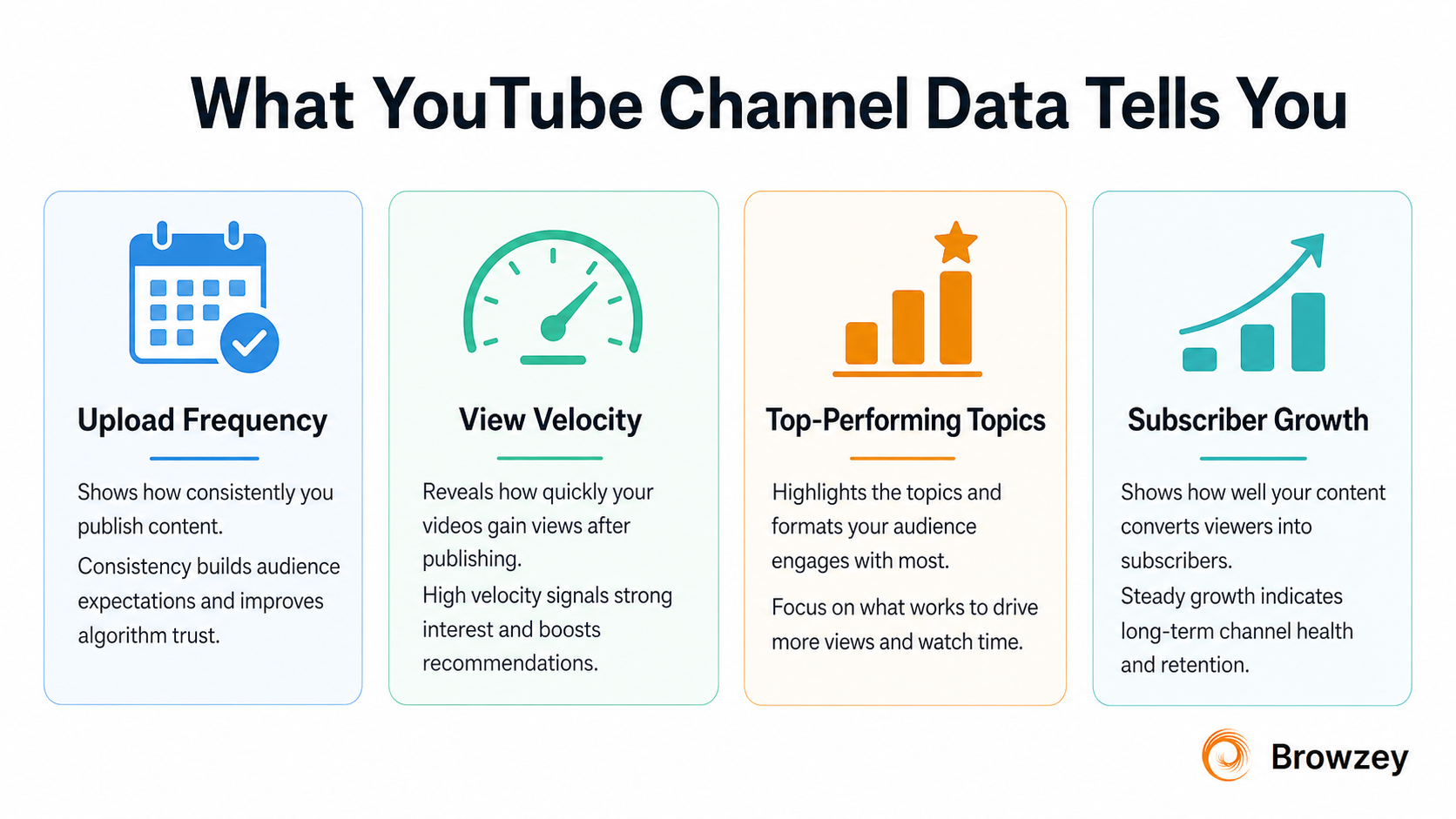
Before pulling any data, it helps to understand what each signal means for content decisions.
Upload Frequency
How often a channel publishes reveals their editorial bandwidth and audience expectation. A channel posting five videos a week trains its audience to return frequently. A channel posting twice a month signals deeper, more researched content. When you map upload frequency across ten or twenty competitors, you start to see the content cadence that your niche actually rewards, not what YouTube recommends in general guides.
View Velocity
View velocity is the rate at which a video accumulates views shortly after publishing. A video sitting at 400,000 views total tells you less than knowing whether those views came in the first 72 hours or the first two years. While Browzey's channel scraper surfaces recent video view counts alongside publish dates, tracking how quickly a competitor's latest uploads are gaining traction reveals whether their audience is actively engaged or passively subscribed.
Top-Performing Topics
The most viewed videos on any channel are a direct read on what that audience actually wants. Not what the creator assumed they wanted, but what got watched. When you extract the recent video list across 20 competitor channels and sort by view count, patterns emerge fast: recurring formats, dominant subject areas, title structures that outperform consistently. These are not opinions about what should work. They are the record of what already does.
Subscriber Growth Signals
Total subscriber count gives you a channel's authority level. Combined with total view count and video count, you can calculate rough average views per video and estimate how engaged a subscriber base actually is. A channel with 800,000 subscribers averaging 15,000 views per video is a very different competitive signal than one with 120,000 subscribers averaging 80,000 views. Both are worth studying, but for opposite reasons.
Content Gaps
When you map the top-performing topics across your competitor set and then overlay that against your own content calendar, the gaps become visible. Topics the audience searches for but no one is covering well, video lengths no channel has committed to, formats that work on adjacent channels but have not been tested in your niche. This is where content strategy earns its keep.
Browzey's Free YouTube Channel Scraper: What It Does and How to Use It
Browzey is an AI-powered browser automation platform built for marketers, agencies, and businesses that need to automate web workflows without writing code. Instead of requiring API credentials, developer setup, or custom scripts, Browzey lets you run prebuilt automation templates through a clean interface using plain instructions.
The YouTube Channel Scraper is one of Browzey's free templates. It visits any YouTube channel page and extracts structured profile data automatically.
Data Fields Extracted
| Field | What It Gives You |
|---|---|
| Channel Name | Display name and handle |
| Subscriber Count | Total subscribers at time of extraction |
| Video Count | Total published videos |
| Total Views | Lifetime view count across all content |
| Channel Description | About section text |
| Created Date | When the channel launched |
| Recent Videos | Latest uploads with individual view counts |
| Channel URL | Direct link for reference |
This combination of fields covers both the channel-level health metrics (subscriber count, total views, video count) and content-level signals (recent videos with view counts), which is exactly what you need for both competitive benchmarking and influencer vetting.
Step-by-Step: Running the YouTube Channel Scraper
Step 1: Create a free Browzey account
Visit browzey.ai and sign up. No credit card required. You get access to the full template library immediately.
Step 2: Navigate to the YouTube Channel Scraper template
Go to the Templates section and select the YouTube Channel Scraper. The template page shows the full list of data fields it extracts and the use cases it supports.
Step 3: Paste your channel URLs
Enter the YouTube channel URLs you want to analyze. The template accepts up to 50 channel URLs per run. For a focused competitive analysis, 10 to 20 competitor channels is a practical starting point.
Step 4: Run the extraction
Click Run. Browzey processes the channels and shows real-time progress. Most runs complete in under a few minutes depending on the number of channels.
Step 5: Export your results
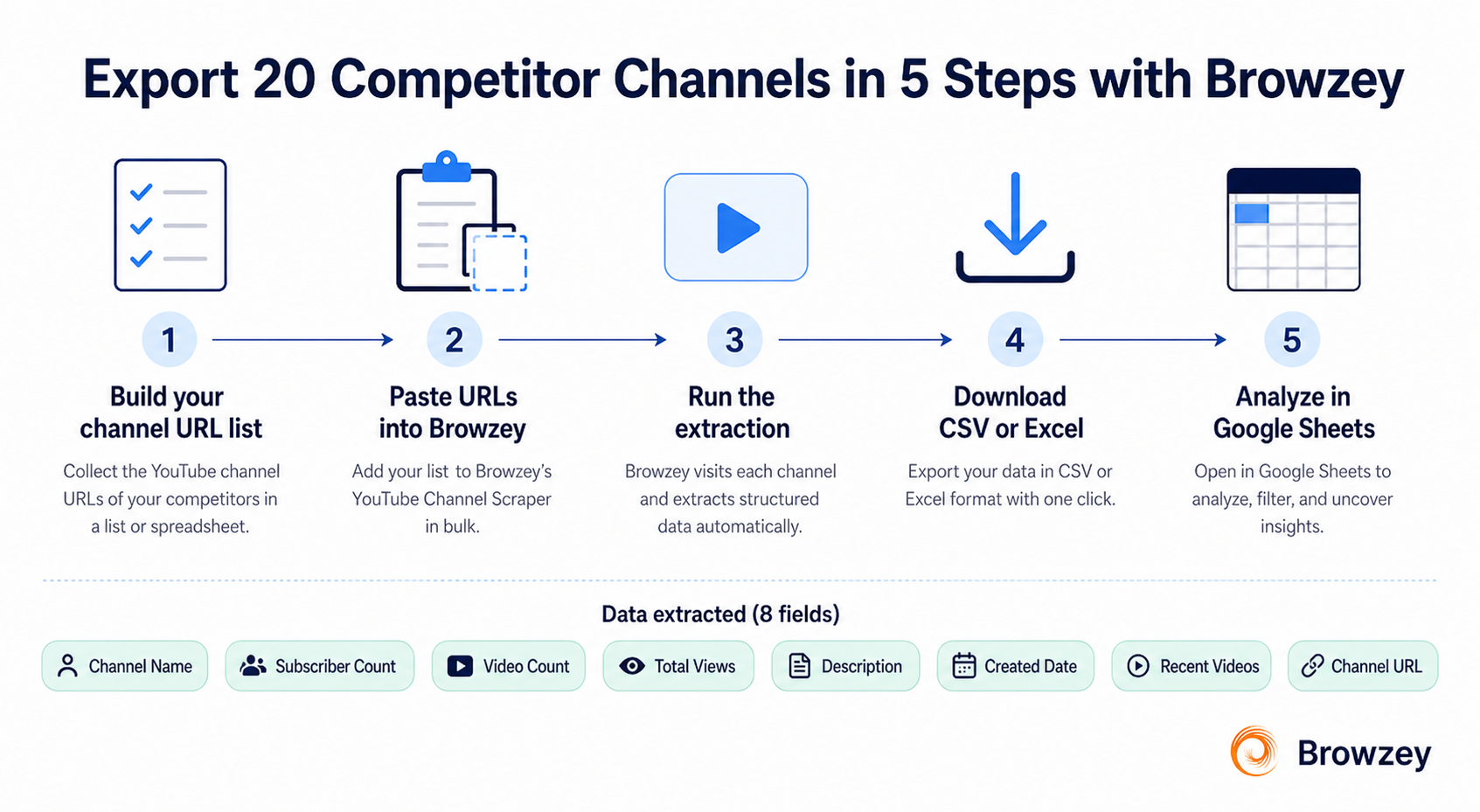
Download the structured data as CSV, Excel, or JSON. From there, you can open it directly in Google Sheets, paste it into a comparison table, or feed it into whatever reporting workflow you already use.
Tip: Browzey processes up to 100 items per run on the free tier, which means you can run the scraper across a substantial channel list without hitting any limits for typical competitive research projects.
The Bulk Competitor Analysis Workflow: 20 Channels in Google Sheets
Here is the full workflow for building a structured competitor comparison table using Browzey. This process takes roughly 15 to 20 minutes from start to a working Google Sheets document.
Phase 1: Build Your Channel List
Start by identifying the channels you want to analyze. This could be:
- Direct competitors in your niche
- Adjacent creators whose audience overlaps with yours
- Channels you aspire to benchmark against
- Influencers you are evaluating for a brand partnership
Collect 20 YouTube channel URLs. The simplest way is to open each channel, copy the URL from the address bar, and paste them into a text file or spreadsheet column. You want the main channel URL, not a specific video or playlist link.
Phase 2: Run the Browzey Extraction
Paste all 20 channel URLs into the Browzey YouTube Channel Scraper. Run the extraction. When it finishes, download the CSV output.
Phase 3: Structure the Google Sheets Comparison Table
Open the CSV in Google Sheets. You will already have columns for channel name, subscriber count, video count, total views, and recent videos. From here, add three calculated columns to unlock the analysis:
Average Views Per Video Divide total views by video count. This tells you the long-term content efficiency of each channel.
Upload Cadence (Estimated) Using the recent video list and the publish dates included in the extraction, calculate how many days on average fall between uploads. You can do this manually for the first few videos or build a simple formula once the dates are structured.
Engagement Index Divide average views per video by subscriber count and multiply by 100. This gives you a rough engagement percentage. A channel with 500,000 subscribers and an engagement index of 3 is outperforming one with 500,000 subscribers and an index of 0.5, even if their raw view numbers look similar.
Phase 4: Identify Top-Performing Topics
The recent video field from Browzey's extraction includes video titles alongside view counts. Sort each channel's videos by view count. Pull the top three to five videos from each channel into a separate tab. Look at the titles together. You will start to see recurring topic clusters, title formats, and content angles that are generating disproportionate views across the competitor set.
This is your content gap and opportunity map.
Phase 5: Schedule Regular Re-Runs
The real value of this workflow is not the one-time snapshot. It is the longitudinal view. Set a reminder to re-run the Browzey extraction on the same channel list monthly. As you build up historical snapshots in Google Sheets, you can track subscriber growth rates, view trajectory for specific channels, and shifts in what topics are gaining traction across the niche.
Comparing the Tools: Browzey vs TubeBuddy vs VidIQ vs Apify
There are several tools in this space. Understanding what each one does well and where it falls short helps you choose the right fit for your workflow.
Browzey
Browzey is the most flexible option for competitive channel research at scale. Because it operates as a browser automation platform rather than a YouTube-specific tool, it is not constrained by the YouTube API's rate limits or data restrictions.
Strengths:
- Free template with no API key required
- Bulk processing of up to 50 channels per run
- Structured export to CSV, Excel, and JSON
- Works across any public YouTube channel without account access
- Data flows directly into Google Sheets or any tool that reads CSV
- No platform lock-in: the data you extract belongs to you
Limitations:
- Does not provide historical growth charts natively (you build those yourself by scheduling repeat runs)
- Does not have a built-in YouTube-specific dashboard view
Best for: Content strategists and social media managers who want clean, exportable data for competitor analysis, influencer research, and bulk channel comparisons.
TubeBuddy
TubeBuddy is a browser extension that integrates directly inside YouTube Studio. It overlays additional data onto YouTube's native interface, including keyword research scores, tag suggestions, A/B testing for thumbnails and titles, and channel audit tools.
Strengths:
- Deeply integrated with YouTube's own interface
- Useful for optimizing your own channel's SEO and titles
- Keyword explorer helps with search volume and competition scoring
Limitations:
- Data is surfaced inside the YouTube interface, not exported in structured form for bulk analysis
- Competitor research is limited to viewing individual channel pages with added overlay data
- You cannot input 20 channel URLs and get a comparison table out
- Most useful features require a paid subscription
- Platform-dependent: the data lives in TubeBuddy's interface, not in your own systems
Best for: Creators focused on optimizing their own content rather than running systematic competitor research.
VidIQ
VidIQ is a YouTube analytics and optimization platform with both a browser extension and a web dashboard. It covers keyword research, channel analytics, competitor tracking, and trend alerts.
Strengths:
- Strong keyword and topic trend data
- Competitor channel tracking within the platform
- Daily video ideas and trend alerts based on your niche
Limitations:
- The data lives inside VidIQ's platform. You can view competitor metrics on VidIQ dashboards, but structured bulk exports for use in your own spreadsheets are limited
- Competitor tracking requires setting up individual channels within the VidIQ interface rather than bulk-processing a URL list
- Most actionable features require a paid subscription
- Analytics depth on competitor channels is restricted compared to your own channel data
Best for: Creators who want a done-for-you analytics dashboard and topic idea generation, and who are comfortable working within VidIQ's ecosystem rather than exporting to their own tools.
Apify YouTube Actors
Apify is a cloud platform for web scraping that offers a range of community-built YouTube actors (automated scrapers). The YouTube Scraper actor can extract channel info, subscriber counts, video data, and more.
Strengths:
- Very flexible and developer-friendly
- Can handle large-scale extractions
- Connects to Make, Zapier, Google Drive, and other integrations
- Supports JSON, CSV, and Excel outputs
Limitations:
- Requires familiarity with the Apify platform and actor configuration
- Usage is billed per result, which adds up for large or frequent runs
- More technical setup than Browzey's template-based approach
- Less approachable for non-technical content strategists and social media managers
Best for: Technical teams or developers building custom data pipelines who need high-volume extraction and are comfortable with cloud scraping infrastructure.
Side-by-Side Comparison
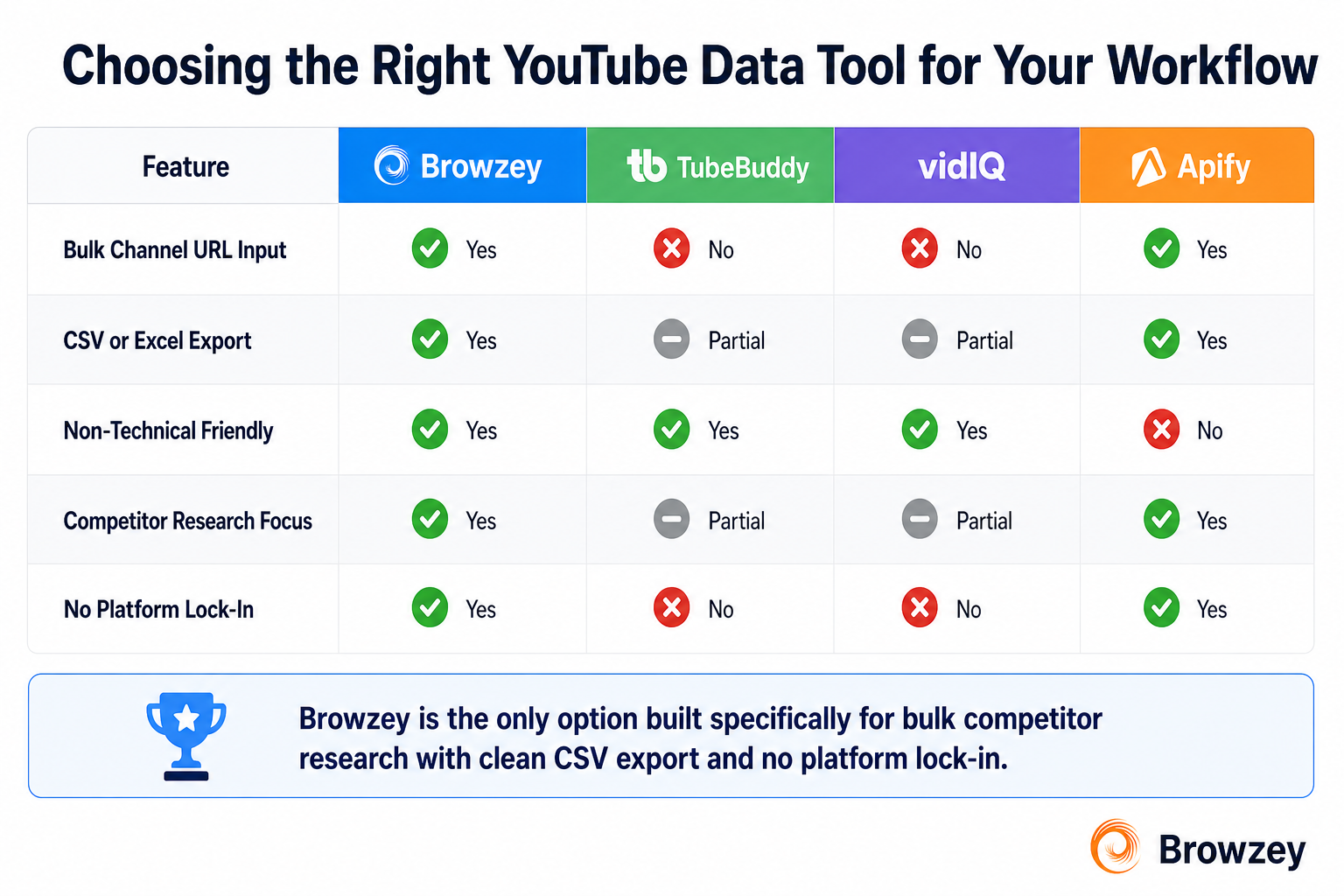
| Feature | Browzey | TubeBuddy | VidIQ | Apify |
|---|---|---|---|---|
| Bulk channel URL input | Yes (up to 50) | No | No | Yes |
| CSV / Excel export | Yes | Limited | Limited | Yes |
| Competitor research focus | Yes | Partial | Partial | Yes |
| Non-technical friendly | Yes | Yes | Yes | No |
| Platform lock-in | No | Yes | Yes | Partial |
| Built for content strategy workflows | Yes | Partial | Partial | Developer use |
Output Reference: What You Get from Browzey's Extraction
When the Browzey YouTube Channel Scraper finishes a run on 20 competitor channels, here is exactly what lands in your export file:
Channel Name The display name and handle of the channel, ready to use as a row identifier in your comparison table.
Subscriber Count Total subscribers at the time of extraction. Use this to establish the channel's reach tier and compare against average view counts.
Average Views (Calculated) Browzey gives you total views and video count. Dividing these gives you average views per video, which is more meaningful than raw subscriber count for assessing actual audience engagement.
Upload Cadence Derived from the recent video list and publish dates. Reveals how frequently the channel publishes and whether their posting schedule is consistent or irregular.
Most Viewed Video Topics The recent video titles with view counts let you identify which content topics are outperforming on each channel. Aggregate these across your full competitor set to see topic patterns at the niche level.
Channel Description The About section content. Useful for understanding how a channel positions itself, what keywords they include, and whether there is a content focus or broader topic spread.
Created Date When the channel launched. Combined with total video count, this tells you their historical publishing volume. A channel with 400 videos over eight years publishes very differently from one with 400 videos over two years.
Channel URL The direct link for easy reference back to the source.
Turning the Data into a Content Strategy
A spreadsheet full of competitor data is only valuable when it feeds a decision. Here is how to translate the extraction output into actionable content strategy.
Identify the Upload Cadence Your Niche Rewards
Map the upload frequency of your top ten competitors against their subscriber growth rate (estimated from total subs and channel age). If the channels with the strongest growth are posting three times per week, that is a signal worth testing. If the channels posting daily have similar or lower engagement than those posting twice weekly, daily is not the lever.
Find the Topics Driving Views, Not Just Views in General
Sort every channel's recent videos by view count and pull the top performers into a unified topic list. Look for recurring themes. If seven of your fifteen competitors have their most-viewed recent content covering the same subject area, that area has demonstrated audience demand. That is a content brief worth writing.
Spot the Gaps
Cross-reference the top topics you identified against your own content archive. The intersections where competitor audiences are watching heavily but you have not published are your highest-priority content gaps.
Use Channel Descriptions for Keyword Research
Competitor channel descriptions are often written with SEO intent. Reading them as a set reveals which search terms channels in your niche are optimizing for. This is a lightweight way to supplement your keyword research with how actual successful channels are positioning themselves.
Build a Benchmarking Baseline
After your first extraction, record your own channel's metrics in the same format. Now you have a direct comparison: where you rank on subscriber count, how your average views per video compares to the competitive set, and where your upload cadence falls relative to the channels above you. This baseline makes every future decision measurable.
Getting Started with Browzey
Browzey is built for exactly this kind of workflow: structured, repeatable extraction that does not require a developer or an API setup. The YouTube Channel Scraper template is free, processes up to 50 channels per run, and exports into formats that plug directly into Google Sheets or any reporting tool you already use.
The competitive intelligence that used to require hours of manual research or a data engineering team is now a 15-minute workflow.
Head to the Browzey Templates library to run your first extraction. Paste in your competitor channel URLs, run the template, and have a structured comparison table ready before your next strategy session.
Frequently Asked Questions
Can I extract data from private YouTube channels? No. Browzey's YouTube Channel Scraper, like all tools in this category, only extracts publicly displayed information. If a channel has hidden their subscriber count or other metrics, those fields will not be available.
How often should I re-run the extraction for competitor tracking? Monthly is a good default for most content strategy use cases. If you are in a fast-moving niche or tracking a specific channel around a product launch, weekly runs give you finer resolution.
Does this work for YouTube channels in any language or region? Yes. The scraper extracts data from any public YouTube channel regardless of language or region.
Can I track my own channel alongside competitors? Absolutely. Including your own channel URL in the extraction list is one of the most useful things you can do. It puts your metrics directly in the same table as your competitors, which makes gaps and opportunities much easier to see.
What is the difference between Browzey's free template and syncing to Notion or Slack? The free tier supports CSV, Excel, and JSON exports. Syncing extractions directly to Notion databases or Slack channels is available on the Starter plan, which is useful for teams that want automatic delivery of fresh channel data without manually downloading files.
Published on the Browzey Blog. Browzey is an AI-powered browser automation platform built for marketers, agencies, and businesses that automate web workflows. Explore the full template library.
Recommended Tools
Further reading
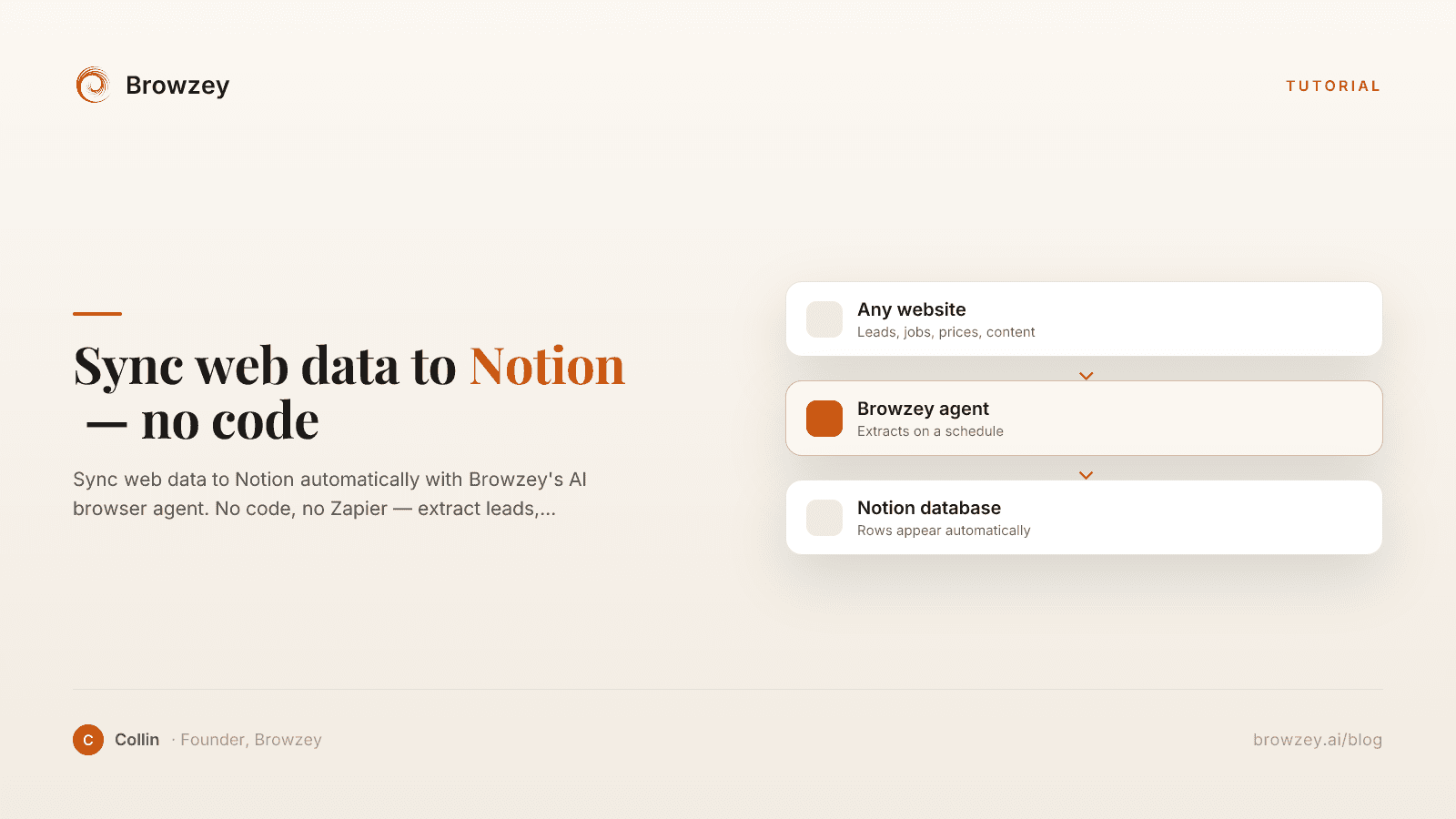
How to Sync Web Data to Notion Automatically (Without Any Code)
Sync web data to Notion automatically with Browzey's AI browser agent. No code, no Zapier — extract leads, jobs, prices, and content into your Notion database.
April 25, 2026
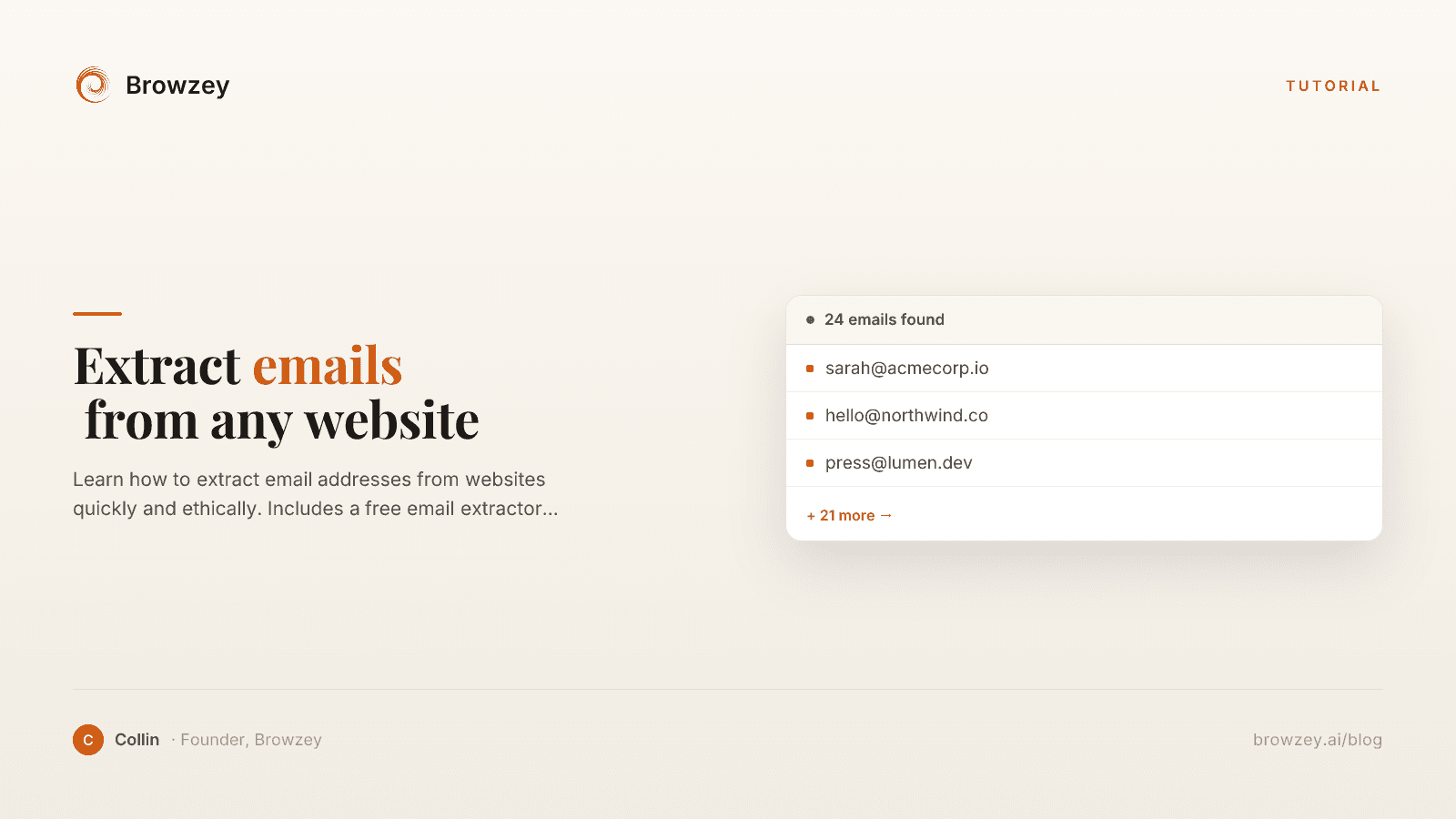
How to Extract Emails from Any Website
Learn how to extract email addresses from websites quickly and ethically. Includes a free email extractor tool and best practices for compliance.
January 24, 2025
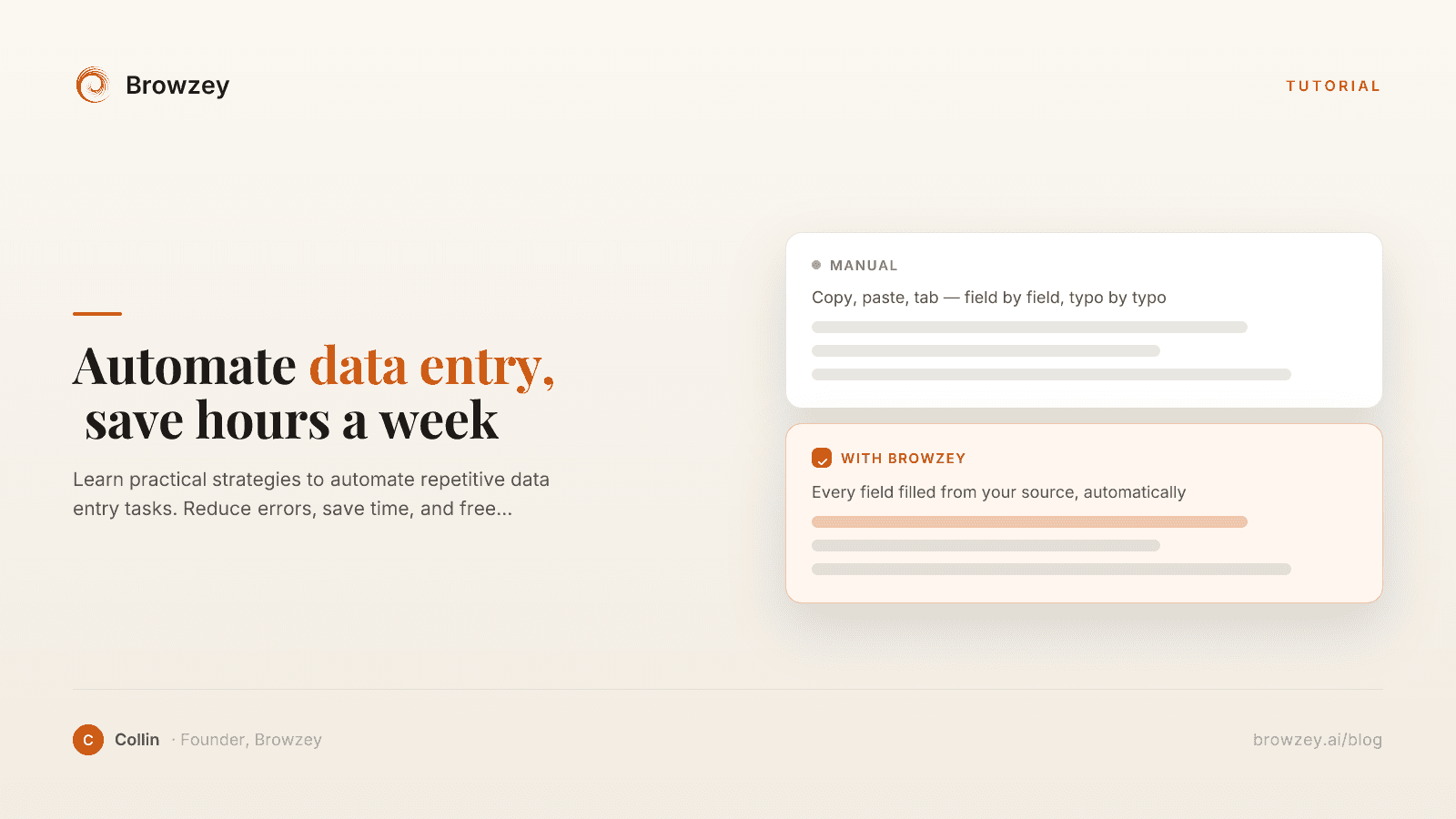
How to Automate Data Entry and Save Hours Every Week
Learn practical strategies to automate repetitive data entry tasks. Reduce errors, save time, and free yourself from manual web form work.
January 21, 2025
On this page
- The Problem with YouTube's Native Analytics
- What YouTube Channel Data Actually Tells You
- Upload Frequency
- View Velocity
- Top-Performing Topics
- Subscriber Growth Signals
- Content Gaps
- Browzey's Free YouTube Channel Scraper: What It Does and How to Use It
- Data Fields Extracted
- Step-by-Step: Running the YouTube Channel Scraper
- The Bulk Competitor Analysis Workflow: 20 Channels in Google Sheets
- Phase 1: Build Your Channel List
- Phase 2: Run the Browzey Extraction
- Phase 3: Structure the Google Sheets Comparison Table
- Phase 4: Identify Top-Performing Topics
- Phase 5: Schedule Regular Re-Runs
- Comparing the Tools: Browzey vs TubeBuddy vs VidIQ vs Apify
- Browzey
- TubeBuddy
- VidIQ
- Apify YouTube Actors
- Side-by-Side Comparison
- Output Reference: What You Get from Browzey's Extraction
- Turning the Data into a Content Strategy
- Identify the Upload Cadence Your Niche Rewards
- Find the Topics Driving Views, Not Just Views in General
- Spot the Gaps
- Use Channel Descriptions for Keyword Research
- Build a Benchmarking Baseline
- Getting Started with Browzey
- Frequently Asked Questions