How Operations Teams Are Cutting 10 Hours Per Week with Browser Automation
How SMB ops teams use Browzey to automate supplier pricing checks, vendor updates, and logistics monitoring — saving 10+ hours per week, no code required.
 CollinFounder, Browzey13 min read
On this page
- The Invisible Time Tax on Your Operations Team
- Why "Just Hire Someone" or "Build a Script" Are Both Wrong Answers
- Introducing Browzey: Browser Automation Built for Operations Teams
- 1. Natural Language Workflow Building
- 2. Build Once, Run Across Hundreds of Rows
- 3. Save, Schedule, and Rerun with One Click
- Real Use Cases for Operations Teams
- Weekly Supplier Pricing Check
- Vendor Contact Database Updates
- Logistics Carrier Rate Monitoring
- Tool Comparison: Choosing the Right Automation Approach
- UiPath (Enterprise RPA)
- Microsoft Power Automate
- Browzey
- How to Calculate Your ROI Before You Even Start
- The Formula
- Step-by-Step
- Example Calculation
- Frequently Asked Questions
- Where to Start
- The Bigger Picture
The Invisible Time Tax on Your Operations Team
There is a cost hiding in plain sight inside most operations teams. It does not show up on a budget line. It does not trigger an alert in your project management tool. It just quietly drains hours every single week.
That cost is browser-based manual work.
Think about what your team actually does between 9 and 10 AM on a Monday. Someone is opening five supplier websites, copying updated product prices into a spreadsheet. Someone else is visiting three freight carrier portals to compare shipping rates before a purchase order goes out. Another person is cross-checking vendor contact details in a CRM that never quite syncs with what is on the vendor's actual website.
Each task takes 20 to 40 minutes. None of them requires judgment or expertise. All of them repeat every week.
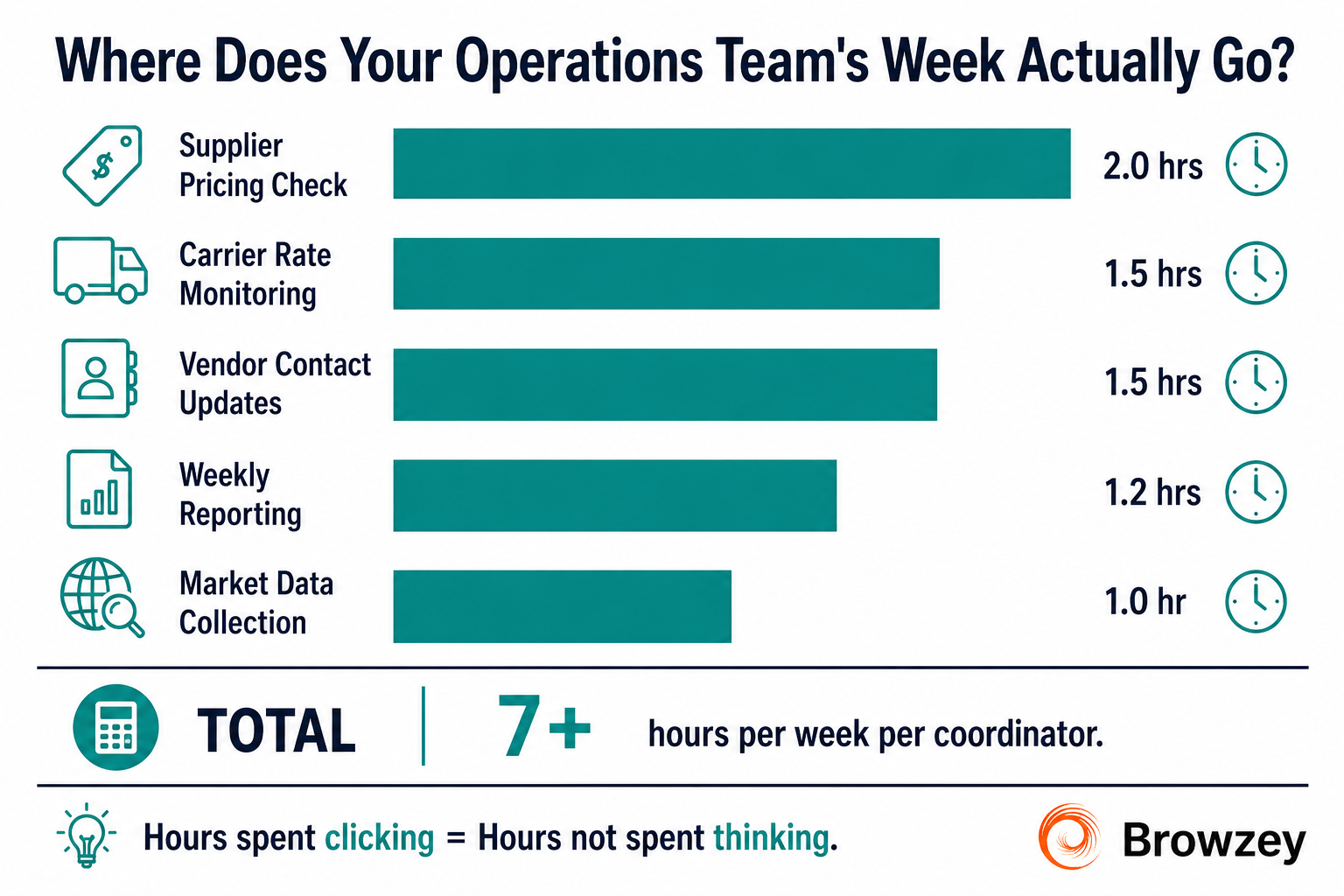
According to Browzey's research on repetitive web workflows, the most common time-draining browser tasks for operations and procurement teams include:
- Supplier and vendor price monitoring across multiple portals
- Logistics carrier rate checks before finalizing shipments
- Vendor contact database updates pulled from supplier websites
- Weekly reporting that requires pulling numbers from web dashboards
- Market and competitor data collection from public web sources
Individually, each task feels manageable. Collectively, they account for 8 to 12 hours of skilled employee time every single week. That is time that should be spent on vendor negotiations, process improvements, supplier relationship management, and strategic sourcing decisions.
The problem is not that your team lacks discipline. The problem is that the tools your team uses every day still require a human to sit in front of a browser, clicking and copying, for tasks that follow a completely predictable pattern.
Why "Just Hire Someone" or "Build a Script" Are Both Wrong Answers
When ops leaders first notice this problem, two instincts typically surface.
The first is to delegate: assign the repetitive work to a junior coordinator or an admin. The second is to build: ask IT or a developer to write a script that automates the data pulls.
Both approaches have significant drawbacks.
Delegating repetitive browser work still costs you real salary hours. A coordinator spending 10 hours a week on manual data collection is a coordinator not doing the analytical, relationship-driven work you actually hired them for. You are paying a human to do something a machine could handle.
Building scripts is a different trap. A developer can write a Python or JavaScript scraper that pulls supplier prices from five websites. But what happens when one of those websites changes its layout? The script breaks. Someone files a ticket. The developer is pulled off a higher-value project to fix a brittle scraper. Three weeks later it breaks again. You are now in a maintenance loop that costs more than the original manual process.
There is a better path, and it does not require developers or expensive enterprise software contracts.
Introducing Browzey: Browser Automation Built for Operations Teams
Browzey is an AI-powered browser automation platform designed specifically for people who are not developers. Its core premise is straightforward: describe what you want to do in plain English, and Browzey's AI agent figures out how to do it in the browser.
The platform is built around three capabilities that are directly relevant to operations workflows.
1. Natural Language Workflow Building
Instead of writing code or configuring a complex RPA bot, you describe the task the way you would explain it to a colleague. "Go to this supplier portal, log in, navigate to the pricing section, and copy the current prices for these five SKUs into a spreadsheet." Browzey's AI agent interprets your instructions and executes them in a real browser environment, handling dynamic pages, JavaScript-heavy sites, and login flows without any technical setup.
2. Build Once, Run Across Hundreds of Rows
One of the most powerful features for operations teams is Browzey's workflow-plus-CSV model. You build a workflow once, then upload a CSV or Excel file containing all your inputs (supplier URLs, carrier names, vendor IDs), and Browzey reruns the exact same workflow for every row automatically. A supplier pricing check that covers 50 vendors no longer takes 3 hours. It runs while your team focuses on something else.
3. Save, Schedule, and Rerun with One Click
Completed workflows are saved to your account and can be rerun on demand or set to run on a schedule. Every execution generates a detailed report with logs, screenshots, and exported results. You get an audit trail without any extra effort.
Real Use Cases for Operations Teams
Weekly Supplier Pricing Check
The manual version: A procurement coordinator visits 30 to 50 supplier websites every Monday morning, logging into each portal, navigating to the pricing section, and copying current prices into a master spreadsheet. Total time: 2.5 to 3 hours.
With Browzey: The coordinator builds the workflow once, uploads a CSV with all supplier portal URLs and login credentials, and Browzey runs the full check automatically. Results are exported to a spreadsheet. Total team involvement: 10 minutes to review the output.
Time saved per week: approximately 2.5 hours per person.
Vendor Contact Database Updates
The manual version: Every quarter, someone on the ops or procurement team audits vendor contact information by visiting each supplier's website, checking for updated phone numbers, email addresses, and account manager details, then manually updating the CRM. For 100 vendors, this takes a full day or more.
With Browzey: A workflow visits each vendor's contact page and extracts the relevant information. The output is a clean CSV that can be imported directly into the CRM. The quarterly audit shrinks from a full day to under 30 minutes.
Time saved per quarter: 6 to 8 hours.
Logistics Carrier Rate Monitoring
The manual version: Before approving any shipment over a certain value, an ops coordinator visits the portals of three to five freight carriers to compare current lane rates. With multiple shipments per week, this adds up to 1.5 to 2 hours of repetitive browsing.
With Browzey: A saved workflow checks all carrier portals for the relevant lanes, pulls the current rates, and outputs a comparison table. The coordinator reviews the table and makes the decision. The browsing disappears.
Time saved per week: approximately 1.5 hours per coordinator.
Tool Comparison: Choosing the Right Automation Approach
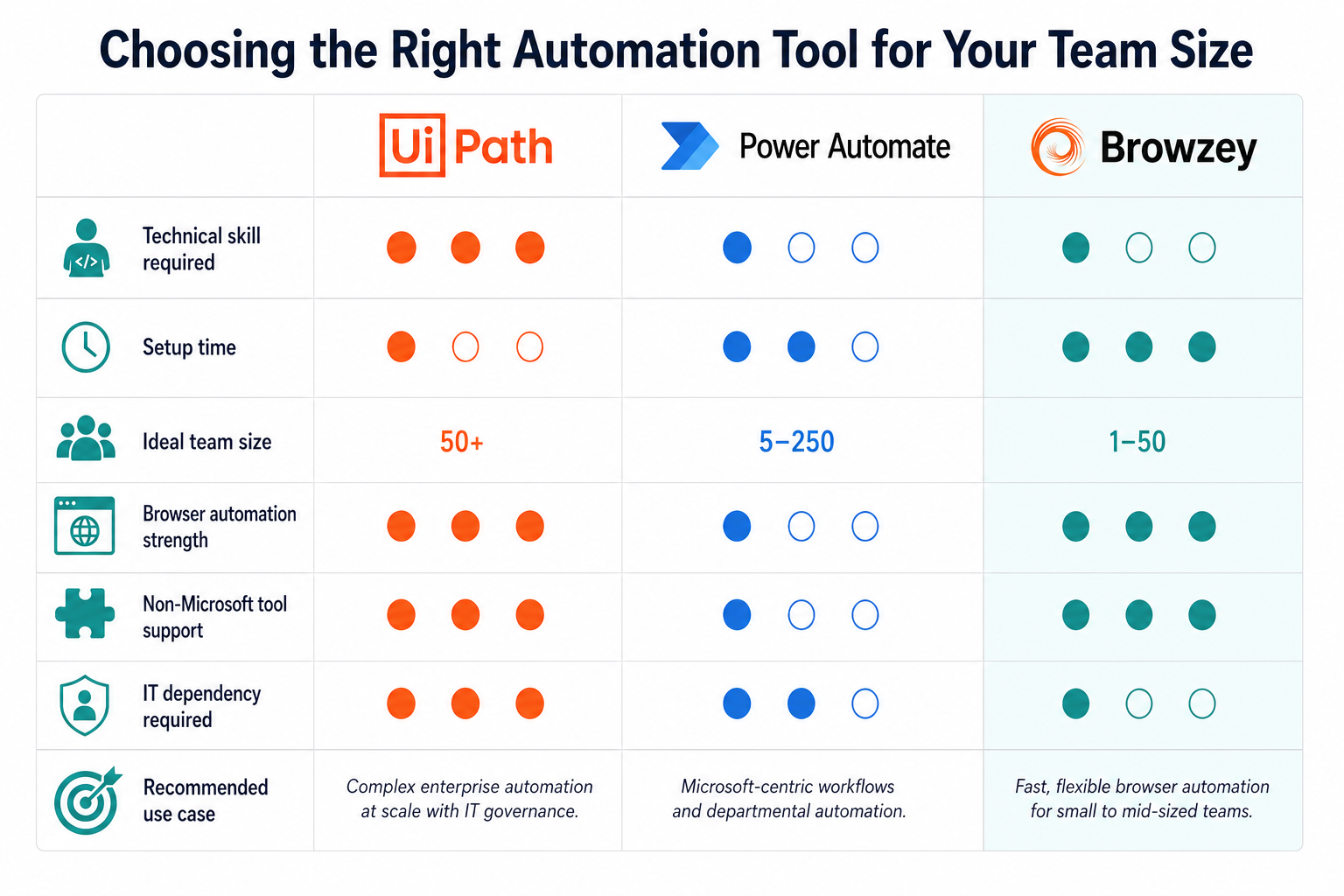
Not all automation tools are created equal. Here is how the three most common options compare for a typical SMB operations team.
UiPath (Enterprise RPA)
UiPath is the gold standard in Robotic Process Automation and is genuinely powerful for large enterprise environments. It can automate nearly anything: browser tasks, desktop applications, legacy systems, mainframes. However, it comes with significant overhead. Implementation typically requires dedicated RPA developers or certified consultants. Deployment involves a substantial infrastructure setup. Maintenance requires ongoing technical involvement when processes change. For a company with 500 employees and a dedicated IT team, UiPath makes sense. For an SMB operations team trying to automate 10 repetitive browser tasks, it is far more tool than you need, and the overhead can easily exceed the value of the automation itself.
Best for: Large enterprises with dedicated RPA teams and complex, multi-system automation needs.
Microsoft Power Automate
Power Automate is a solid option for organizations already deeply embedded in the Microsoft ecosystem. Its desktop flows (formerly UI Flows) can automate browser and Windows desktop tasks with a reasonable setup process. The integration with Microsoft 365, SharePoint, and Teams is genuinely strong. The limitation is that it works best when your data and processes live in Microsoft tools. If your supplier portals, vendor databases, and carrier rate tools are all third-party web applications, Power Automate's strengths do not translate as cleanly. There is also a meaningful learning curve for non-technical users building flows beyond simple templates.
Best for: Teams whose workflows live primarily within the Microsoft 365 ecosystem.
Browzey
Browzey occupies a different position in the market: accessible, AI-native browser automation built for non-developers. Its key differentiators for operations teams are natural language workflow creation, the build-once-run-many model with CSV/Excel inputs, and a no-code interface that an ops manager can use independently without filing an IT ticket. It supports any website accessible through a browser, including authenticated portals, dynamic pages, and sites built on JavaScript-heavy frameworks. It is particularly well-suited for teams whose repetitive work is overwhelmingly browser-based and who need to start saving time in days, not months.
Best for: SMB operations teams running repetitive browser workflows across supplier portals, vendor sites, and logistics platforms without a dedicated developer.
| Criteria | UiPath | Power Automate | Browzey |
|---|---|---|---|
| Technical skill required | High (RPA developers) | Medium (Power Users) | Low (No code) |
| Setup time | Weeks to months | Days to weeks | Hours to days |
| Ideal team size | Enterprise (500+) | Mid-market (M365) | SMB (10 to 200) |
| Browser automation strength | Strong | Moderate | Strong |
| Non-Microsoft tool support | Strong | Limited | Strong |
| IT dependency | High | Medium | Low |
How to Calculate Your ROI Before You Even Start
One of the reasons browser automation projects stall is that the business case never gets properly quantified. Here is a simple, repeatable framework to calculate expected ROI for your team.
The Formula
Weekly time saved (hours) x Hourly cost of the employee x 52 weeks = Annual ROI
Step-by-Step
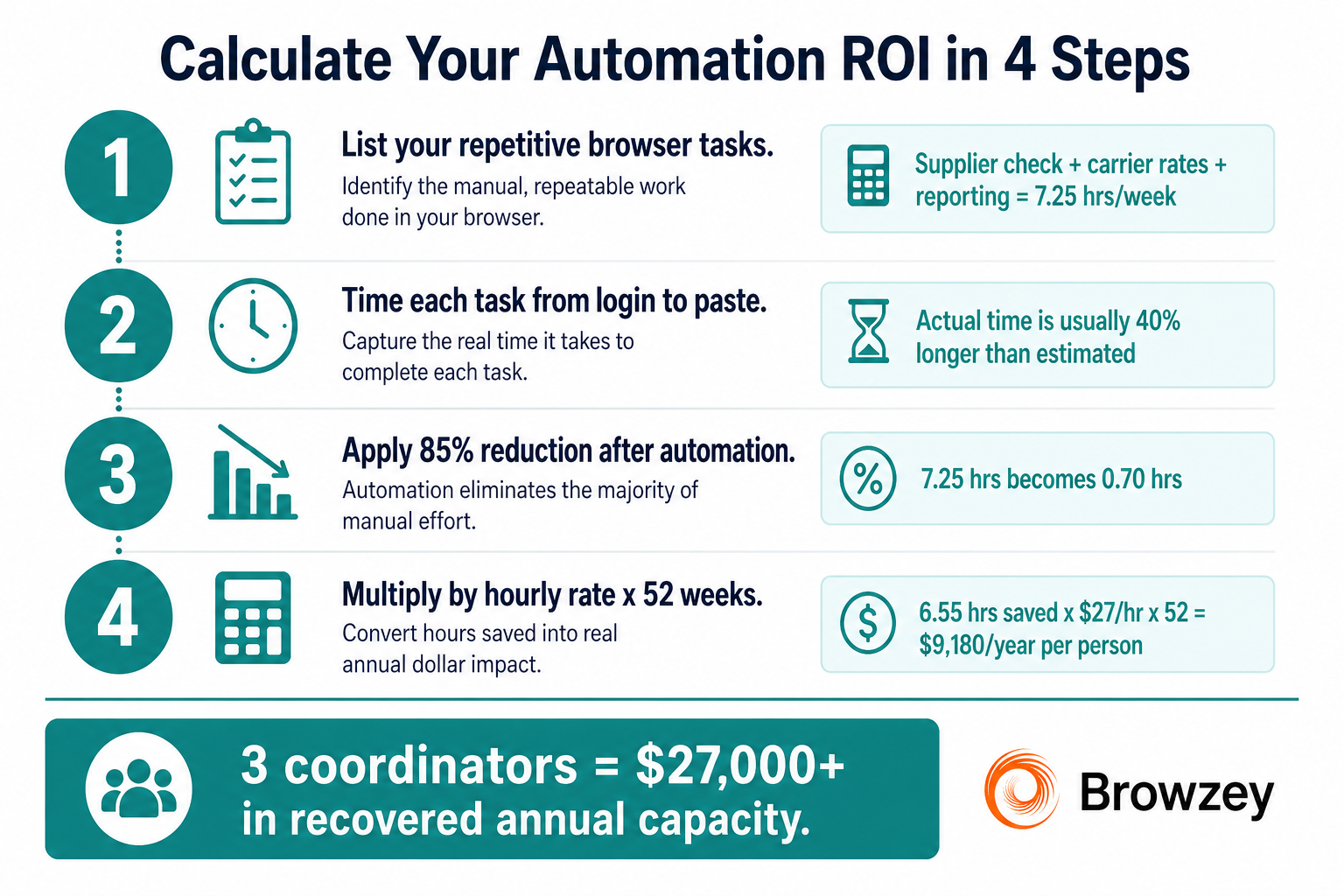
Step 1: List your repetitive browser tasks. Go through a typical week and write down every task that involves opening a website, copying or entering data, and doing the same thing the following week. Be specific. "Supplier pricing check" is better than "supplier work."
Step 2: Time each task honestly. Sit with the person who does each task and time it from start to finish, including logging in, navigating, copying, and pasting. Most teams are surprised by how long these tasks actually take once they are measured.
Step 3: Estimate time saved after automation. A reasonable assumption for well-configured Browzey workflows: 80 to 90% time reduction. A 3-hour weekly task typically becomes a 15 to 30 minute review of automated output.
Step 4: Apply your loaded hourly rate. Use the fully loaded cost of the employee performing the task (salary plus benefits, divided by annual working hours). For a coordinator at $55,000 fully loaded, the hourly rate is approximately $26 to $28/hour.
Step 5: Multiply.
Example Calculation
| Task | Weekly Hours (Manual) | Weekly Hours (Automated) | Hours Saved/Week |
|---|---|---|---|
| Supplier pricing check | 3.0 | 0.25 | 2.75 |
| Carrier rate monitoring | 1.5 | 0.15 | 1.35 |
| Vendor contact updates | 0.75 | 0.10 | 0.65 |
| Weekly ops reporting | 2.0 | 0.20 | 1.80 |
| Total | 7.25 | 0.70 | 6.55 |
Annual hours saved: 6.55 x 52 = 340 hours Annual value (at $27/hour): 340 x $27 = $9,180 in recovered capacity per person
For a team of three coordinators running similar workflows, that is over $27,000 in annual capacity recovered and redirected to higher-value work.
Frequently Asked Questions
What browser tasks can operations teams automate with Browzey? Browzey can automate any repetitive browser-based task including weekly supplier pricing checks, logistics carrier rate monitoring, vendor contact database updates, and pulling data for operational reports. You describe the task in plain English, and Browzey's AI agent handles it in a real browser environment.
How does Browzey handle automation across multiple suppliers or vendors? Browzey uses a build-once, run-many model. You create a workflow once, then upload a CSV or Excel file with all your supplier URLs, vendor IDs, or carrier names. Browzey reruns the same workflow for every row automatically, with results exported to a spreadsheet or report.
How is Browzey different from UiPath or Power Automate for SMB teams? UiPath is enterprise RPA requiring dedicated developers and significant infrastructure. Power Automate works best within the Microsoft 365 ecosystem. Browzey is built specifically for non-technical operations teams at SMBs: no code required, natural language workflow setup, and it works on any website accessible through a browser.
How do I calculate the ROI of automating my team's browser tasks? Multiply weekly hours saved by your employee's loaded hourly rate, then multiply by 52 weeks. For example, saving 6.5 hours per week at $27/hour equals over $9,100 in recovered capacity per person per year. Three coordinators on similar workflows recover more than $27,000 annually.
Do I need a developer or IT support to set up Browzey? No. Browzey is designed for non-technical users. Operations managers can describe a task in plain English, and the AI agent builds and runs the workflow. There is no coding, no IT ticket, and no RPA developer required to get started.
Where to Start
The fastest path to meaningful results is to pick one task, automate it completely, and measure the outcome before expanding.
A good first candidate is any browser task that meets three criteria: it repeats on a fixed schedule (weekly or monthly), it follows a consistent, predictable pattern, and it currently takes more than one hour per week to complete.
For most operations teams, the weekly supplier pricing check is the obvious starting point. It is high-frequency, time-consuming, clearly defined, and the time savings are immediately visible.
Once that workflow is running reliably, expand to carrier rate monitoring, then vendor contact updates, then reporting workflows. Within a quarter, most teams find they have reclaimed an entire day per week per coordinator.
The Bigger Picture
Browser automation is not about replacing people. It is about making sure your operations team spends their time on the work that actually requires human judgment: negotiating terms, managing supplier relationships, solving supply chain problems, and improving processes.
When a coordinator spends three hours every Monday clicking through supplier portals, they are not using the skills you hired them for. When Browzey does that work in the background overnight, they arrive Monday morning with a clean comparison report and the time to actually act on it.
The technology to make this shift is accessible today, requires no developers, and pays back its investment within weeks. The only remaining question is which task you are going to automate first.
Ready to see it in action? Visit Browzey to explore pre-built templates for common operations workflows and start building your first automation.
Recommended Tools
Further reading
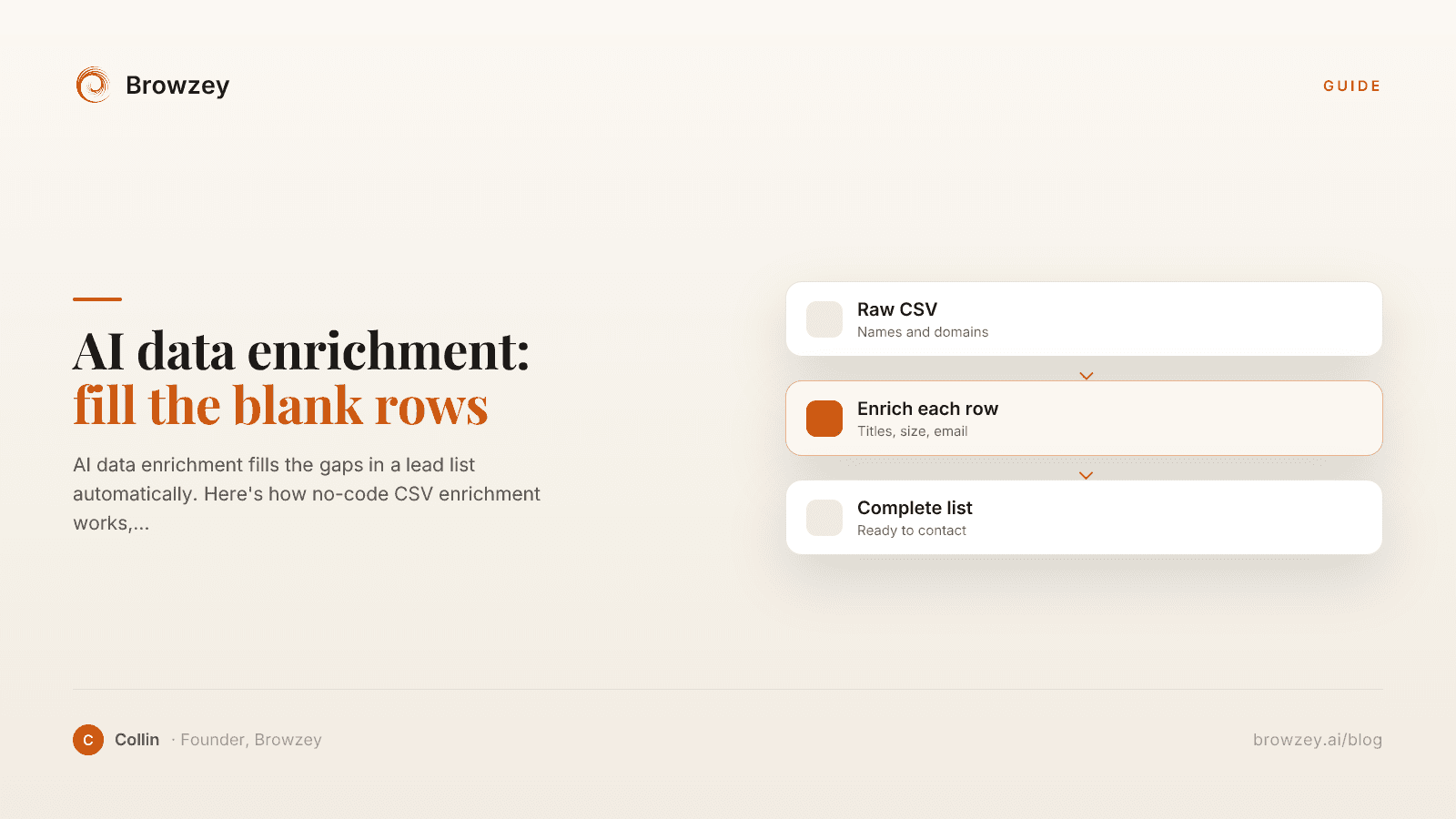
AI data enrichment: how to enrich a CSV of leads
AI data enrichment fills the gaps in a lead list automatically. Here's how no-code CSV enrichment works, where database tools quietly fail, and how to fix it.
July 2, 2026
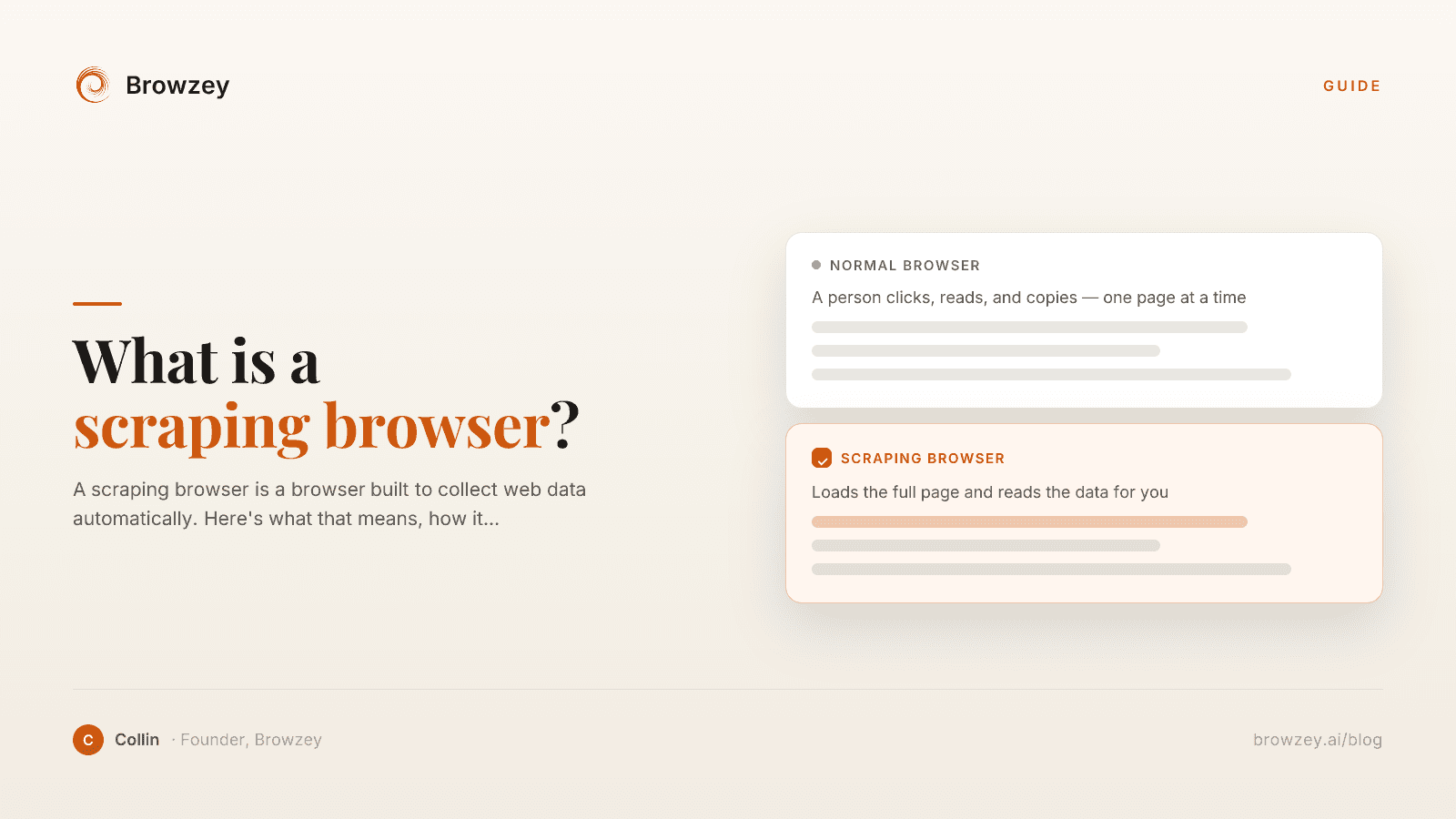
What Is a Scraping Browser? A Plain-English Guide
A scraping browser is a browser built to collect web data automatically. Here's what that means, how it works, and whether you actually need one.
June 20, 2026
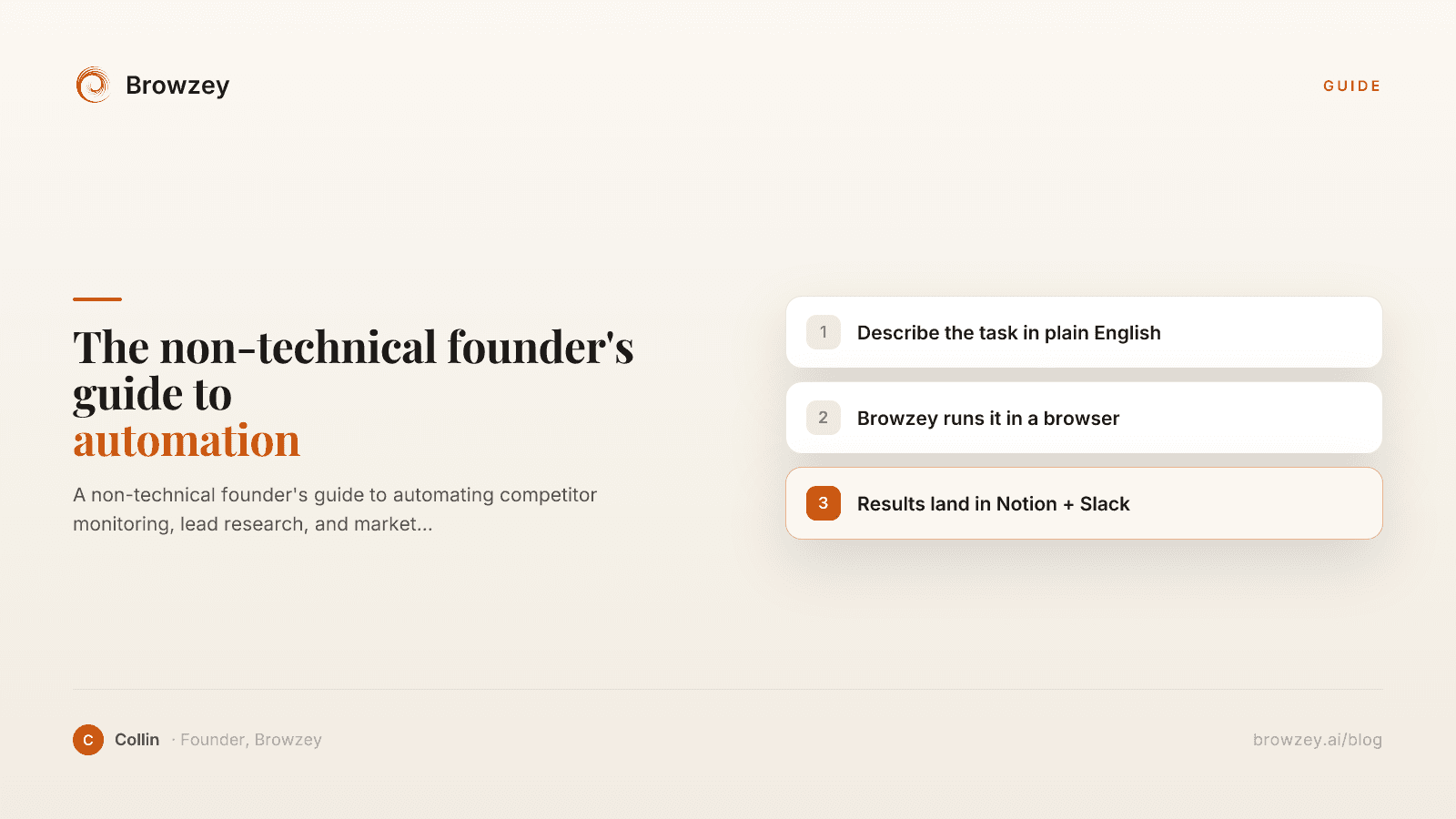
The Non-Technical Founder's Guide to Browser Automation in 2026
A non-technical founder's guide to automating competitor monitoring, lead research, and market intelligence with Browzey, Notion, and Slack — no code.
May 1, 2026
On this page
- The Invisible Time Tax on Your Operations Team
- Why "Just Hire Someone" or "Build a Script" Are Both Wrong Answers
- Introducing Browzey: Browser Automation Built for Operations Teams
- 1. Natural Language Workflow Building
- 2. Build Once, Run Across Hundreds of Rows
- 3. Save, Schedule, and Rerun with One Click
- Real Use Cases for Operations Teams
- Weekly Supplier Pricing Check
- Vendor Contact Database Updates
- Logistics Carrier Rate Monitoring
- Tool Comparison: Choosing the Right Automation Approach
- UiPath (Enterprise RPA)
- Microsoft Power Automate
- Browzey
- How to Calculate Your ROI Before You Even Start
- The Formula
- Step-by-Step
- Example Calculation
- Frequently Asked Questions
- Where to Start
- The Bigger Picture