What Is Auto-Heal in Browser Automation and Why It Matters in 2026
Self-healing browser automation explained. See how AI-powered tools like Browzey fix broken selectors automatically while Selenium and Octoparse stop working.
 CollinFounder, Browzey12 min read
On this page
- The Quiet Crisis Nobody Talks About
- Why Websites Break Your Automation (Without Warning)
- Introducing Auto-Heal: Automation That Fixes Itself
- How Browzey's Auto-Heal Works
- The Old Way: What Happens When Selenium or Octoparse Breaks
- Other Tools with Self-Healing Capabilities
- Testim (Testing-Focused)
- mabl (QA-Focused)
- Skyvern (Computer Vision-Powered)
- How These Tools Compare at a Glance
- Why This Matters If You Are Not a Developer
- The Bottom Line
The Quiet Crisis Nobody Talks About
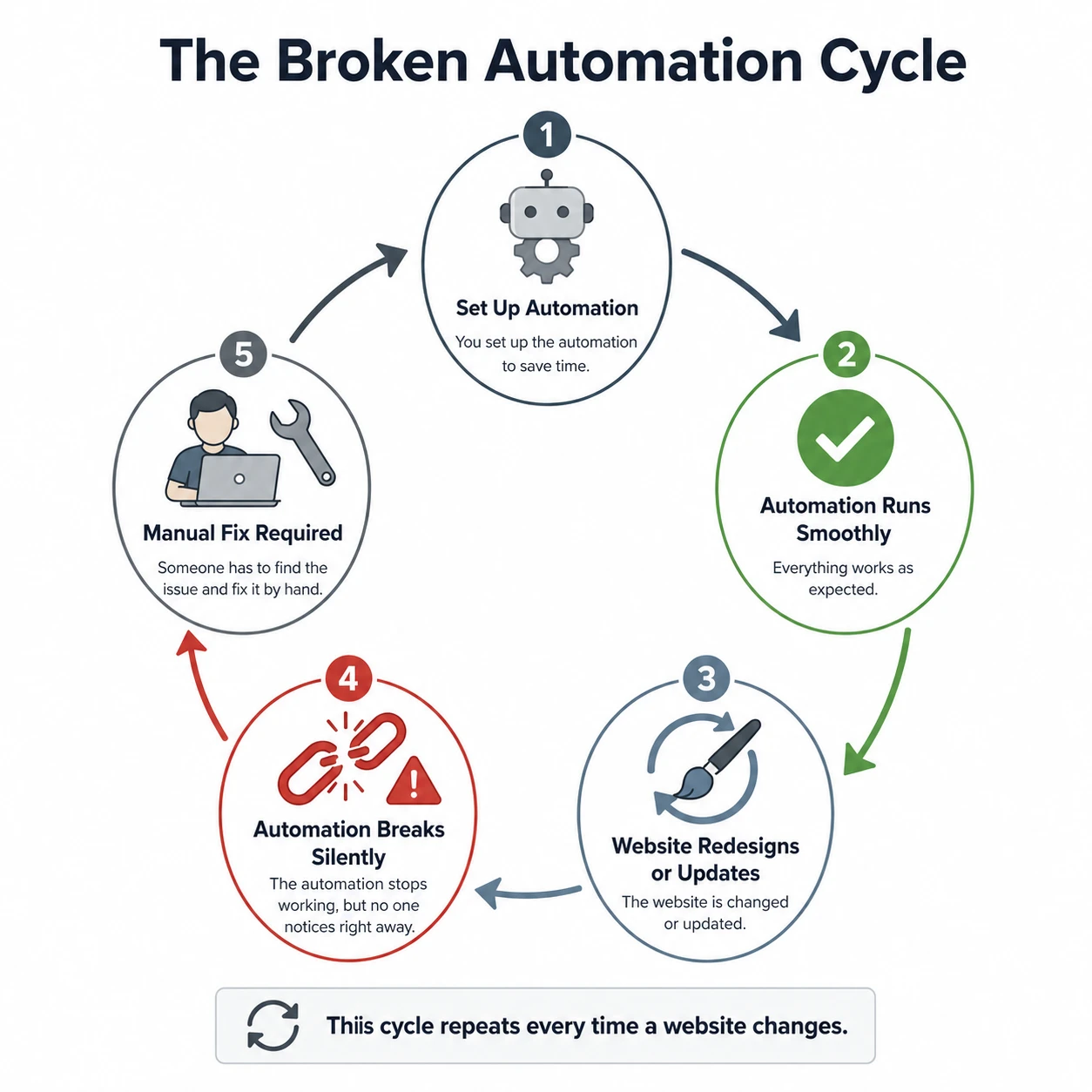
You set up an automation a few months ago. It saved you hours every week. Life was good.
Then one day, it stopped working.
No warning. No explanation. Just a blank screen, a missed workflow, or a silent failure that you only noticed three days later when the data stopped showing up.
This is one of the most frustrating and overlooked problems in browser automation. You did everything right. The tool ran perfectly. Then the website changed, and suddenly your automation was useless.
This is the broken workflow problem, and it affects everyone who relies on automation, from solo freelancers to large business teams.
Why Websites Break Your Automation (Without Warning)
Every time you automate a task on a website, traditional tools do something very specific. They memorize the exact location of buttons, fields, and links using technical references called selectors. Think of a selector as a precise address, like "the blue button in the top-left corner of the checkout page with the ID btn-submit-order."
The problem is that websites are living things. They change constantly.
A developer might rename that button from btn-submit-order to button-primary. A designer might move the login field from the left column to the center. A product team might rename "My Account" to "Profile." These sound like tiny changes. For a human, they are invisible. For traditional automation tools, they are catastrophic.
A simple CSS change from #login-btn to .btn-login can kill an entire workflow. The tool looks for something that no longer exists at that address and throws an error.
What makes this worse is that when something fails, you are left digging through cryptic error messages trying to figure out why "element not found" when you can clearly see it on the page.
Traditional tools fail silently or loudly, but either way, they stop. They do not try to adapt. They simply wait for a human to come and fix the code.
For years, automated tests relied on brittle scripts. Static locators and hard-coded paths could not cope with modern, dynamic interfaces. As UIs became more fluid, automation broke more often, and maintenance soon consumed more time than building new things.
The result? Teams spend enormous energy not building automation, but maintaining it. The promise of "set it and forget it" never quite arrives.
Introducing Auto-Heal: Automation That Fixes Itself
Auto-heal is exactly what it sounds like. It is a feature built into modern AI-powered automation tools that detects when something breaks and attempts to repair it automatically, without you having to do anything.
Self-healing automation uses a combination of structural analysis and similarity modeling to recover when expected elements move, are renamed, or change hierarchy. Instead of failing when a selector is missing, the agent computes alternative candidates based on semantic meaning, visual context, or past interactions.
In plain English: the tool knows what it was trying to do, looks at the page with fresh eyes, figures out where the relevant button or field has gone, and continues the task.
This is a fundamentally different approach from traditional automation. Instead of following a rigid script that says "click the element called X," an AI-powered tool understands the intent behind the action, "click the submit button on the checkout form," and finds that button even if its technical name or position has changed.
Auto-repairing workflows can also store repair patterns, making them more resilient over long durations and across large automation fleets. For teams running high-volume or long-lived processes, this significantly cuts recurring overhead.
How Browzey's Auto-Heal Works
Browzey is a no-code browser automation platform built specifically so that non-developers can automate repetitive web tasks, things like filling forms, extracting data, and navigating websites, without writing a single line of code.
What makes Browzey stand out for everyday users is how it handles unexpected changes on the fly.
When something unexpected happens, such as a popup appearing, a page layout changing, or an element taking time to load, Browzey adapts. It does not just fail with a cryptic error; it tries to accomplish your goal using alternative approaches.
Here is how that process looks in practice:
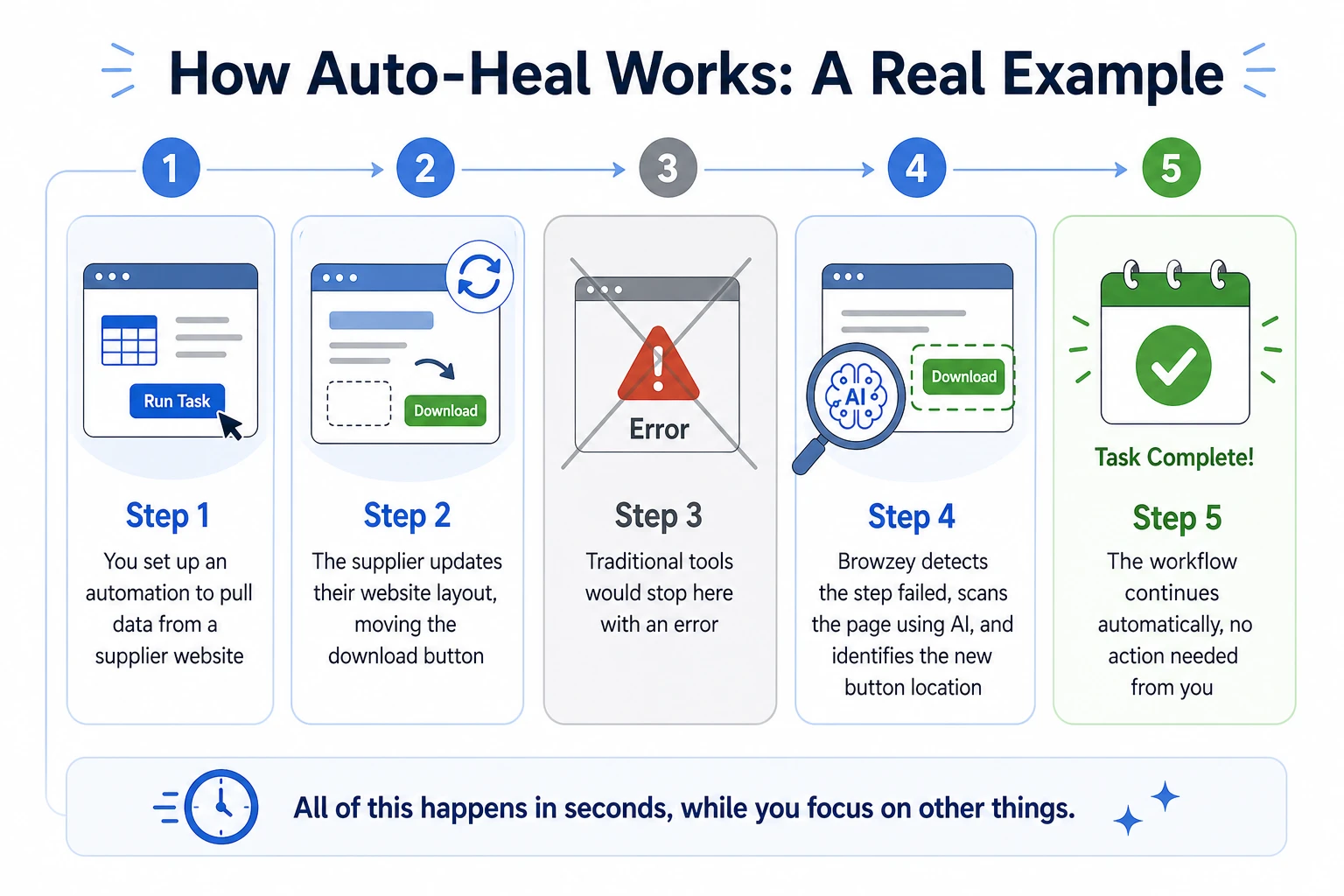
Step 1: Browzey tries the original action. It looks for the element it needs based on your previous successful run, a button, a field, a link.
Step 2: If the element is not where it expects, Browzey uses AI to look for context clues. A button labeled "Submit" is recognized regardless of its HTML ID. A form field near the label "Email" is identified correctly. Navigation items are understood by their text and position.
Step 3: The AI selects the best alternative match and continues the workflow. Your automation keeps running as if nothing happened.
This is what separates Browzey from tools that require you to be a developer to fix broken scripts. Instead of returning an error and waiting for intervention, Browzey reasons through the problem the same way a smart human assistant would.
AI-powered automation takes a fundamentally different approach. Instead of code, you describe what you want in plain English. The AI interprets your intent and figures out how to accomplish it. When something unexpected happens, the AI can adapt: a cookie popup appears and the AI dismisses it and continues; a page layout changes and the AI finds the equivalent element; an error message shows and the AI can report it or try an alternative approach.
Browzey also supports reusable workflows that can be run across hundreds of rows from a spreadsheet, making it ideal for tasks like bulk form submissions, lead data extraction, or repetitive data entry across multiple URLs.
The Old Way: What Happens When Selenium or Octoparse Breaks
To understand why auto-heal matters so much, it helps to look at what the older generation of tools does when something goes wrong.
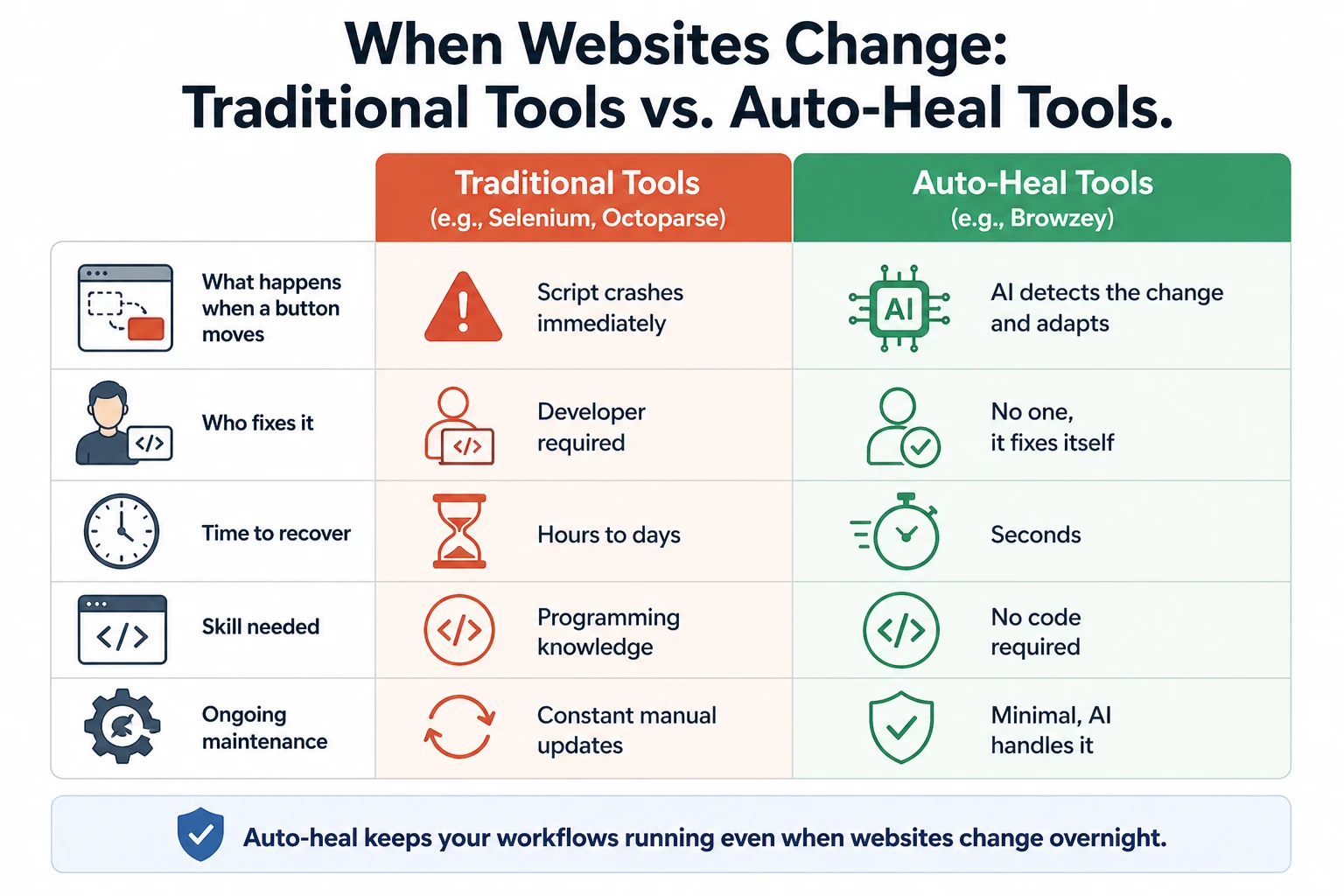
Selenium is one of the most widely used browser automation frameworks in the world. It has been around since 2004 and is incredibly powerful. But that power comes with a cost. Every click, every form field, every navigation step needs explicit code. When a website updates its HTML structure, your automation breaks.
Selenium does not self-heal. When a selector breaks, the script stops running. Someone with programming knowledge has to open the code, identify the broken selector, find the new one on the website, update the script, test it, and redeploy. This can take anywhere from an hour to an entire day depending on how complex the workflow is.
Octoparse is a popular no-code scraping tool. It is easier to set up than Selenium, but it faces the same fundamental limitation. When a website changes its layout, Octoparse workflows stop working. The tool provides no intelligent recovery. You have to go back in, rebuild the affected steps, and start again.
The pattern for both tools is the same: break, wait for human, fix, run again. There is no middle step where the tool tries to help itself.
A Playwright script breaks when a button's class name changes from btn-primary to button-main. A browser agent, on the other hand, recognizes it is still a "Submit" button and clicks it anyway.
For non-developers, this difference is enormous. With traditional tools, every website change becomes your problem. With auto-healing tools like Browzey, most of those problems get handled before you even notice them.
Other Tools with Self-Healing Capabilities
Browzey is not the only tool in this space. Here is a look at other platforms that have built self-healing into their core and who they are best suited for.
Testim (Testing-Focused)
Testim, now owned by Tricentis, was built for software development teams that need to test whether their web apps work correctly. Testim uses machine learning to simplify end-to-end UI testing. Its ML-based smart locators automatically recognize and update UI elements, making automated tests much more resilient to UI changes.
Testim uses machine learning specifically to solve the "flaky test" problem. If one locator breaks, the machine learning model automatically tries others. Tests self-correct when UI changes.
The key thing to understand about Testim is that it is designed for QA engineers and developers, not general business users. If you are a marketer, operations manager, or freelancer trying to automate repetitive tasks, Testim is not built for your use case.
mabl (QA-Focused)
mabl is another AI-powered testing platform, this one aimed at development teams working in fast-release environments. mabl's core strength is its auto-healing engine. When the DOM changes, it updates affected test steps automatically.
The auto-healing feature automatically updates tests when the application changes, eliminating manual maintenance.
Like Testim, mabl is built for software quality assurance teams. It integrates with continuous delivery pipelines and is priced accordingly, starting from around $500 per month. This makes it well out of reach for most individual users or small teams automating everyday business workflows.
Skyvern (Computer Vision-Powered)
Skyvern takes a different approach from all the others. Rather than relying on code selectors or even DOM analysis, it uses computer vision to "see" the website the way a human would.
Skyvern does not look for #checkout-button. It takes a screenshot, uses a Vision language model to find the thing that looks like a checkout button, and clicks it. If the underlying code changes but the UI looks the same, Skyvern keeps working.
Skyvern uses Route Memorization. You let the AI figure out the path once. It then compiles that successful path into a fast script. If the site changes and the script breaks, the AI wakes up, heals the path, and recompiles the script.
Skyvern is an impressive piece of technology, and it is open-source, which means it is free to run yourself. However, traditional approaches to browser automations required writing custom scripts for websites, often relying on DOM parsing and XPath-based interactions. Skyvern provides a Playwright-compatible SDK, meaning you still need some technical knowledge to get full value from it. It is best for developers or technically inclined users who want maximum flexibility.
How These Tools Compare at a Glance
| Tool | Who It Is For | Self-Healing? | No-Code? | Typical Cost |
|---|---|---|---|---|
| Browzey | Business users, non-developers | Yes, AI-driven | Yes | Free tier available |
| Selenium | Developers | No | No | Free (but requires dev time) |
| Octoparse | Semi-technical users | No | Mostly | Paid plans |
| Testim | QA / Dev teams | Yes, ML-based | Partial | From ~$450/month |
| mabl | QA / Dev teams | Yes, AI-driven | Partial | From ~$500/month |
| Skyvern | Developers / Technical users | Yes, computer vision | No | Open-source + cloud |
Why This Matters If You Are Not a Developer
If you have made it this far, you are probably not writing Selenium scripts. You are someone who wants automation to work reliably and not turn into a second job.
That is exactly the gap auto-heal is designed to close.
This matters more in 2025 and 2026 than ever. The front-end ecosystem moves fast. Teams ship continuously. Dynamic frameworks generate non-static page layouts. Personalization creates different UI states per user. In this environment, automation without self-healing becomes brittle. Workflows break with every small UI update. Self-healing systems absorb these changes.
For non-developers, the real-world impact is straightforward:
No more emergency fixes. When a website updates its design overnight, you do not have to scramble to rebuild your workflow the next morning.
No dependency on developers. With tools like Browzey, you do not need to call in a technical person every time a website changes a button label.
Automation that actually lasts. The whole point of automation is to save time. If you spend as much time fixing broken workflows as you would doing the task manually, you have gained nothing. Auto-heal changes that equation.
Browzey was built on the belief that everyone should be able to automate their browser tasks, not just developers. The auto-heal capability is central to making that promise real.
Organizations that adopt AI-native automation early will gain a meaningful advantage, as 2026 marks the moment when the browser becomes a true control layer for intelligent agents.
The Bottom Line
Browser automation used to be a developer-only club. The tools that existed were powerful but fragile. When websites changed, and they always do, someone with programming skills had to step in and fix things.
Auto-heal changes the rules. By building AI directly into the automation engine, tools like Browzey can detect when something breaks and repair it on the fly, without you having to notice, intervene, or understand what went wrong technically.
For anyone who has lived through a broken workflow, missed data, or a wasted automation investment, this is the feature that makes the difference between automation that delivers and automation that disappoints.
If you are ready to try an automation tool that does not give up when websites change, Browzey is a natural place to start. It is free to try, requires no code, and is built from the ground up to handle the messy, unpredictable reality of the web.
Recommended Tools
Further reading
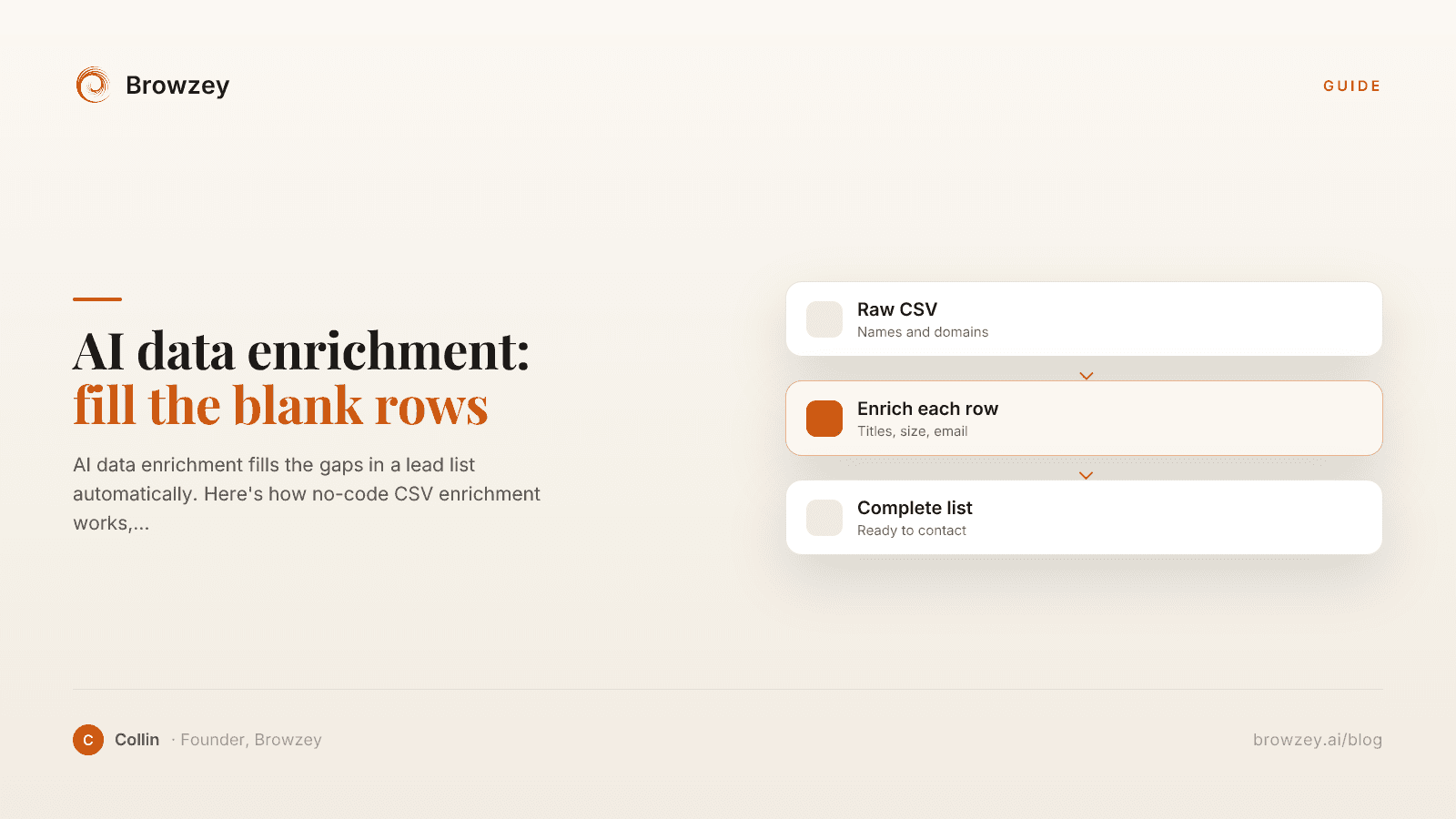
AI data enrichment: how to enrich a CSV of leads
AI data enrichment fills the gaps in a lead list automatically. Here's how no-code CSV enrichment works, where database tools quietly fail, and how to fix it.
July 2, 2026
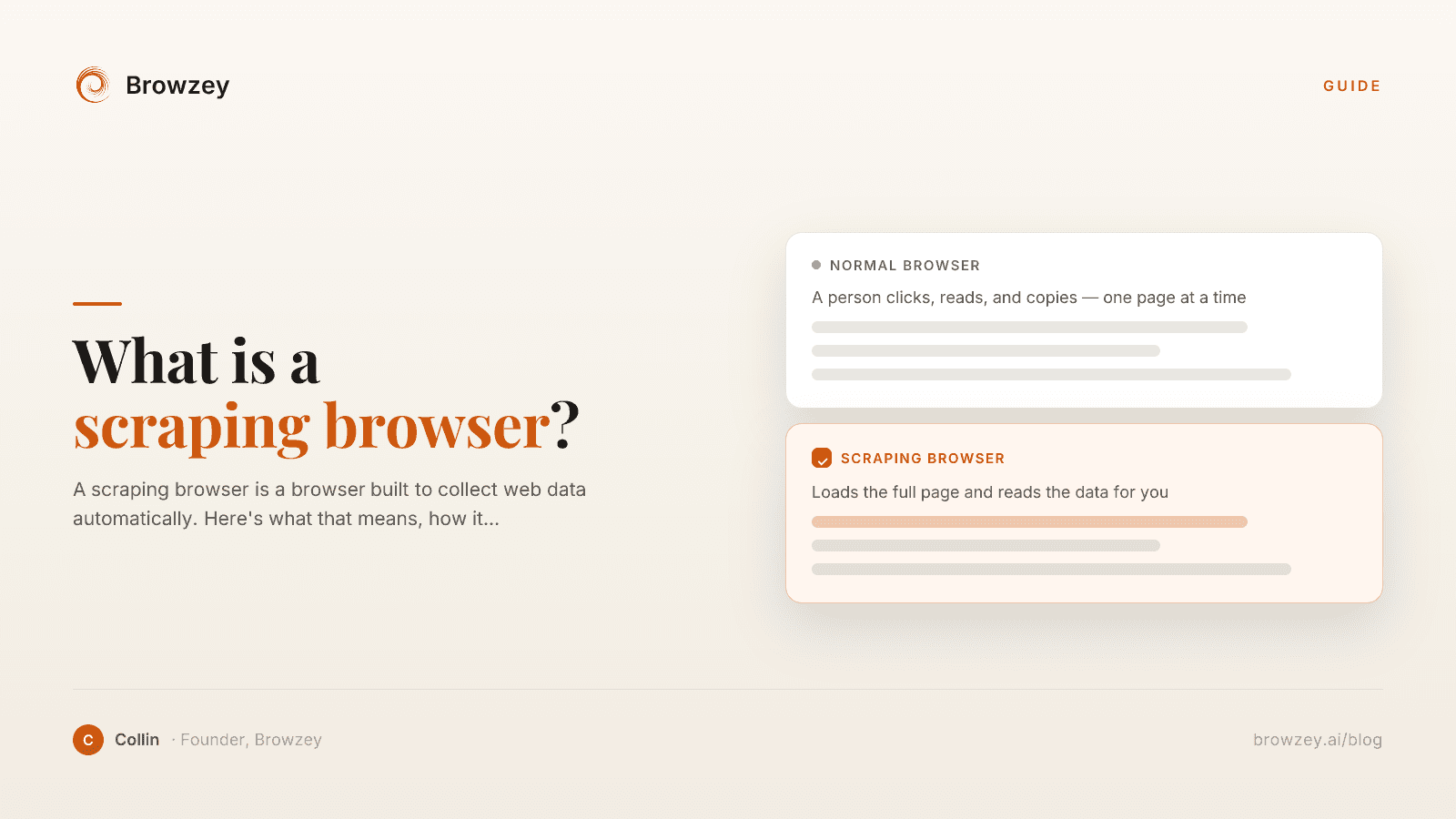
What Is a Scraping Browser? A Plain-English Guide
A scraping browser is a browser built to collect web data automatically. Here's what that means, how it works, and whether you actually need one.
June 20, 2026
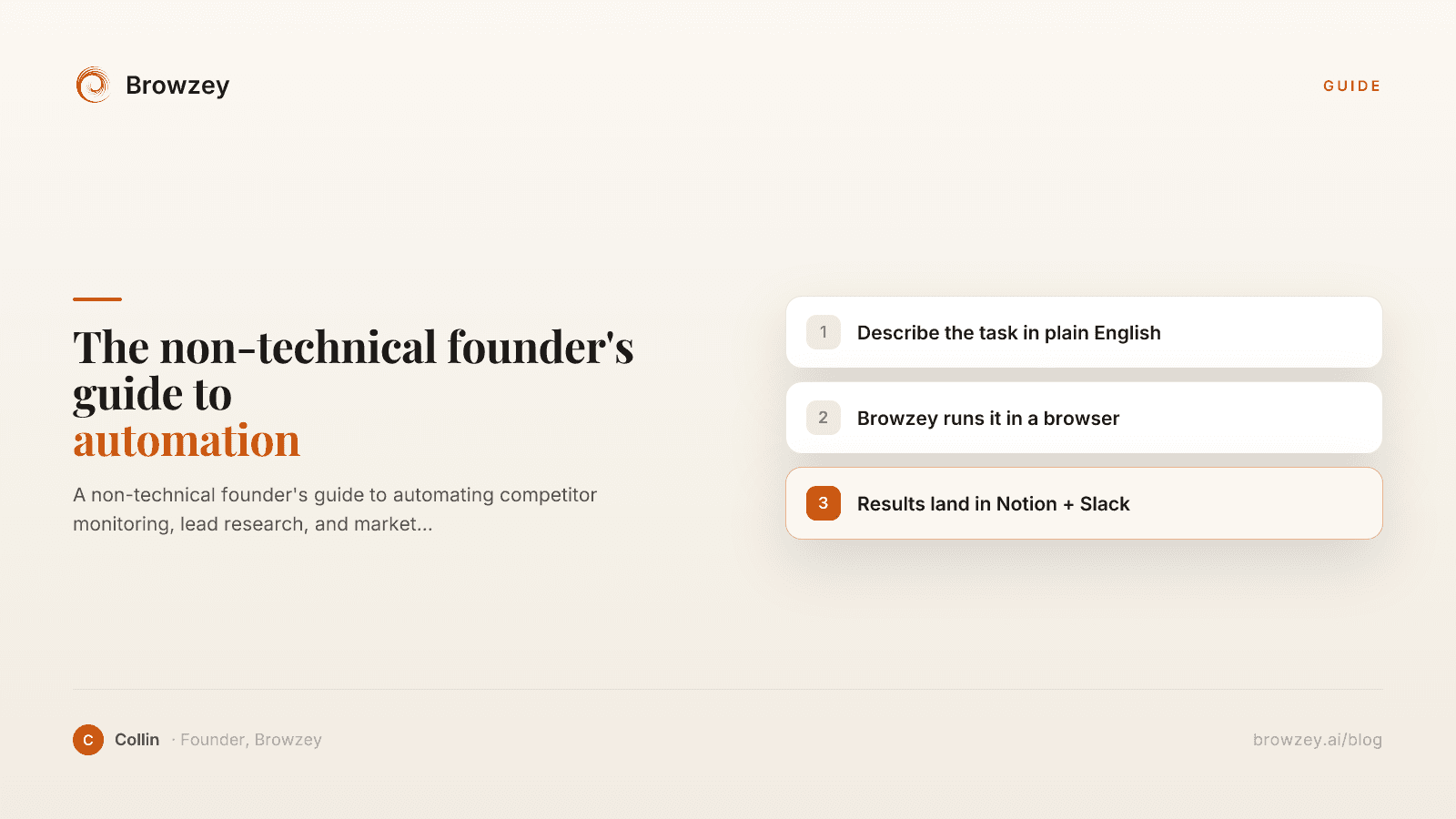
The Non-Technical Founder's Guide to Browser Automation in 2026
A non-technical founder's guide to automating competitor monitoring, lead research, and market intelligence with Browzey, Notion, and Slack — no code.
May 1, 2026
On this page
- The Quiet Crisis Nobody Talks About
- Why Websites Break Your Automation (Without Warning)
- Introducing Auto-Heal: Automation That Fixes Itself
- How Browzey's Auto-Heal Works
- The Old Way: What Happens When Selenium or Octoparse Breaks
- Other Tools with Self-Healing Capabilities
- Testim (Testing-Focused)
- mabl (QA-Focused)
- Skyvern (Computer Vision-Powered)
- How These Tools Compare at a Glance
- Why This Matters If You Are Not a Developer
- The Bottom Line